
Atollon Innovations (week 20)
NewSales FeaturesModule Innovations
-
Expanded Application Suite: Finalised development of both new and existing applications within the Sales module.
-
Web Interface Integration: Introduction of specialised tools previously unavailable on the web platform.
-
Enhanced Sales Workflow: Improved connectivity between individual applications for a smoother end-to-end process.
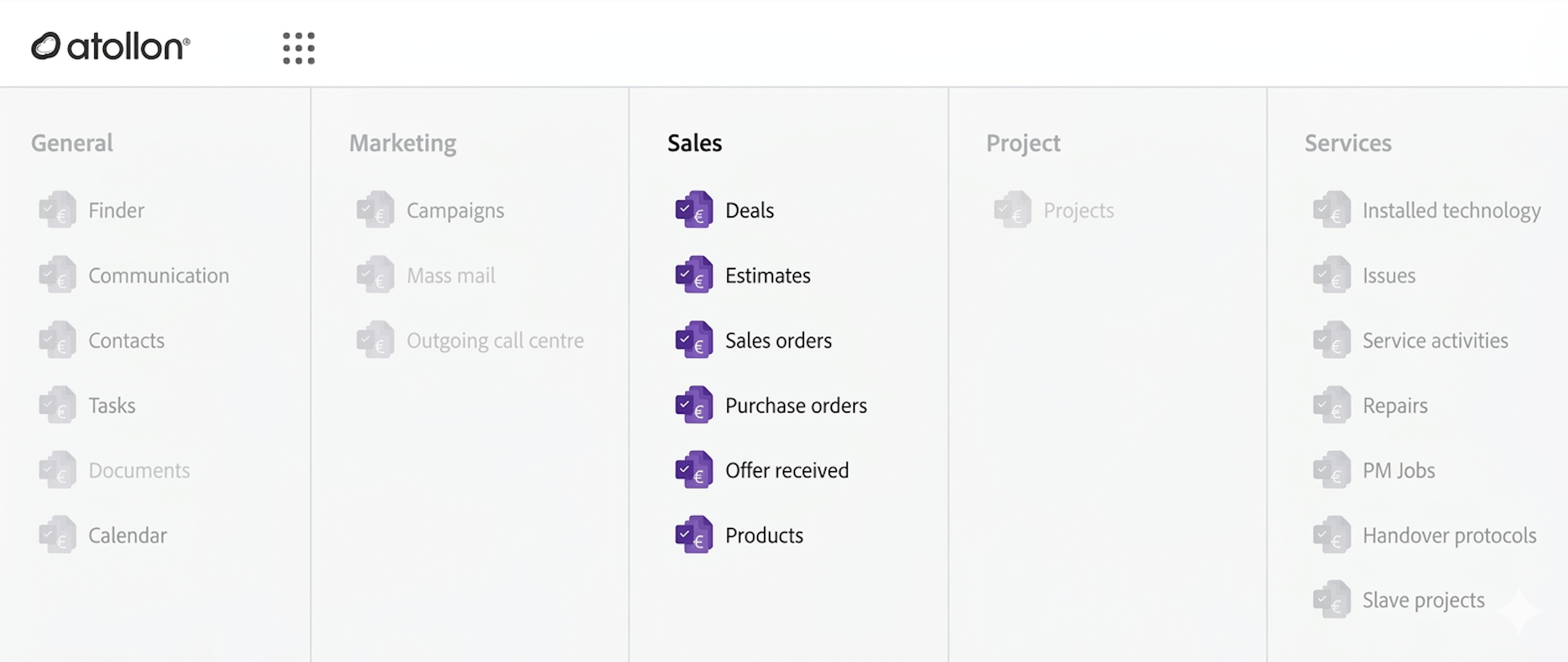
CalendarDeals
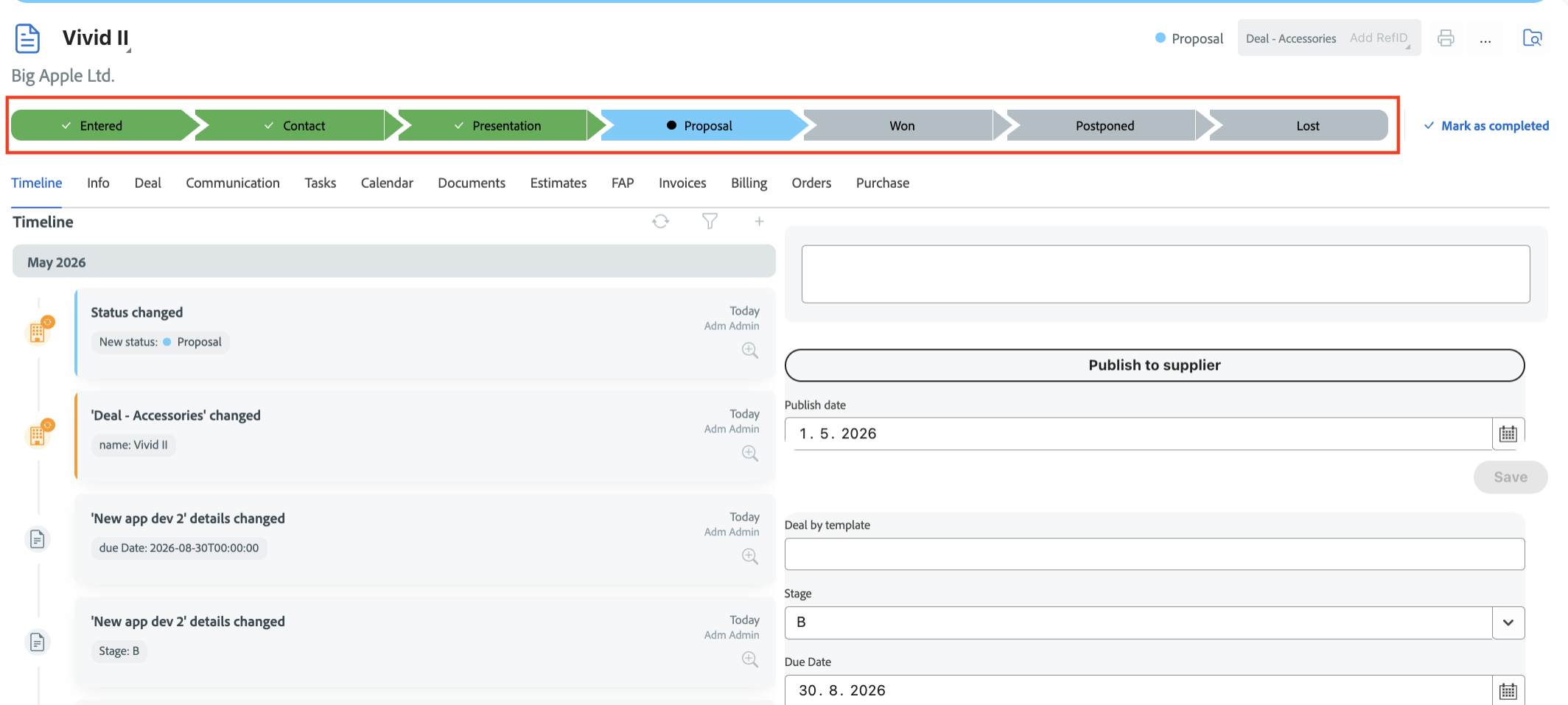
Sales Pipeline Header: A new visual component at the top of the deal detail for instant status recognition.
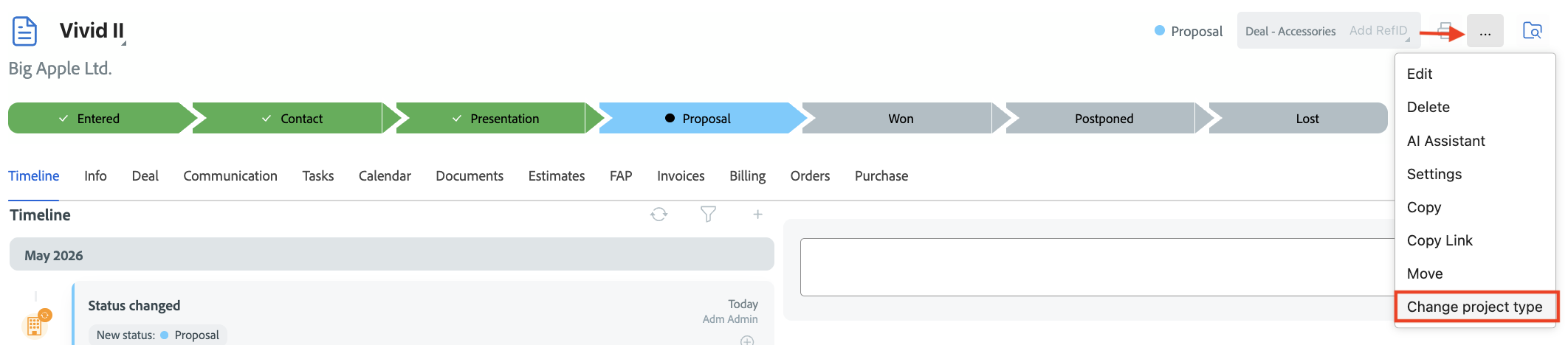
Change project type: Easily switch the "Project Type" directly within the Sales module.
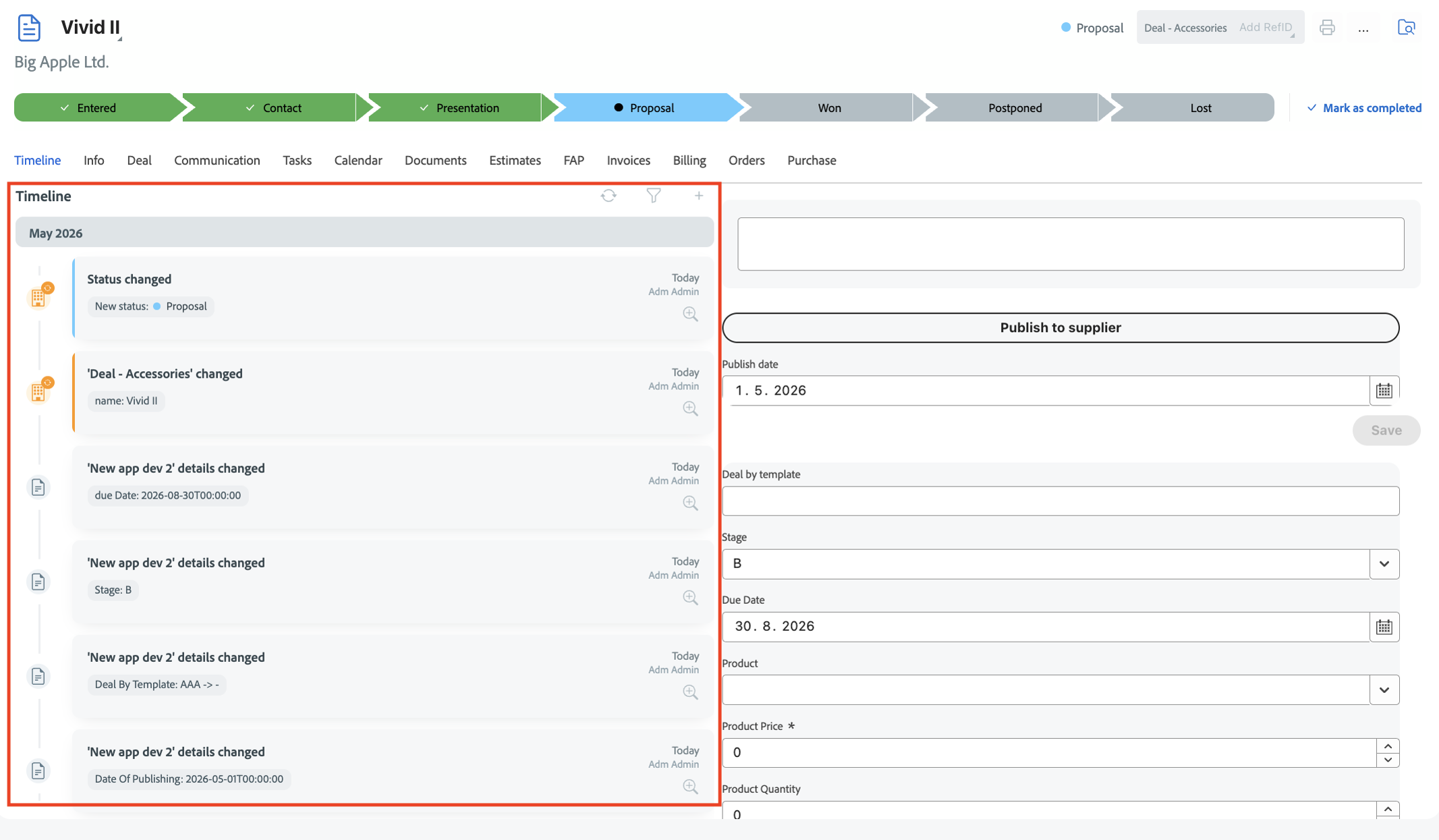
Enhanced Timeline
-
Modernized Interface: New, cleaner design for a more professional look.
-
Improved Readability: Better layout and spacing for faster orientation in case history.
-
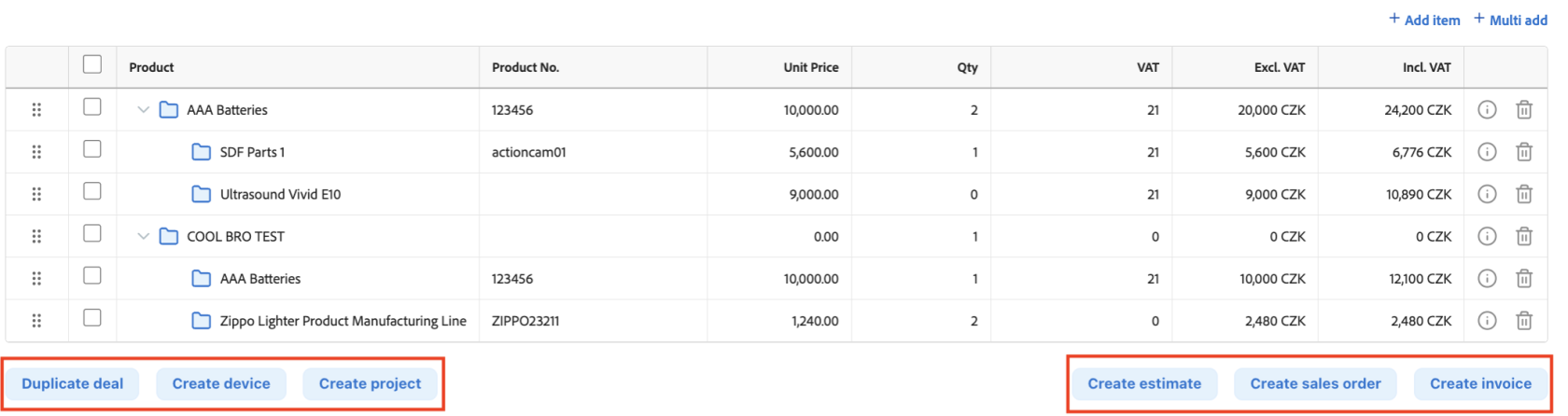
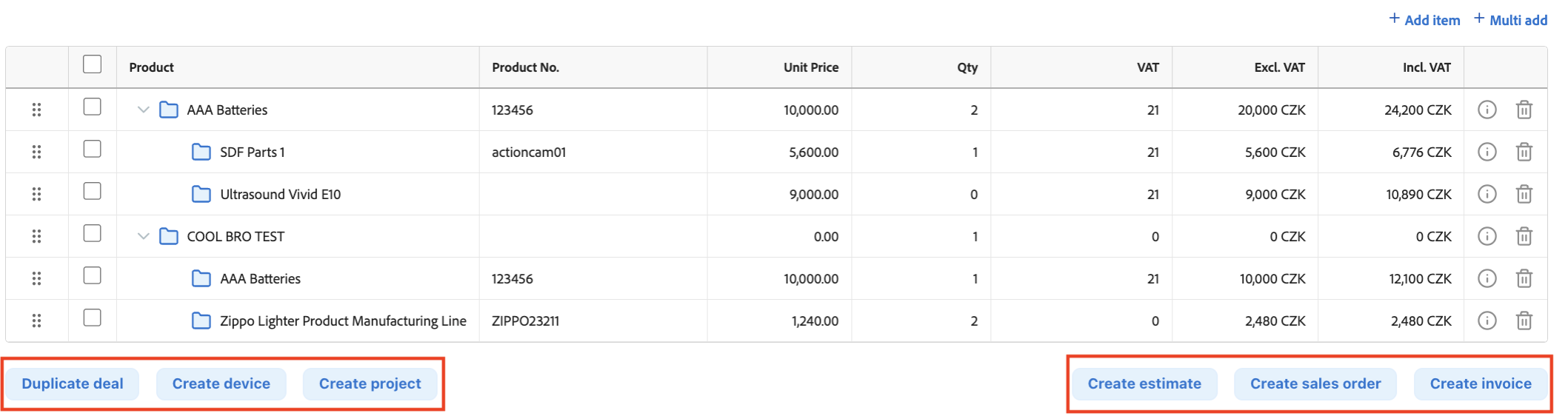
Case Operations: Duplicate a deal, create a new device, or start a project with a single click directly from the business case.
-
Financial Documents: Instantly generate related financial records, including Estimates, Sales Orders, and Invoices.
-
One-Click Workflow: Streamlined process for converting sales opportunities into operational or financial tasks without leaving the page.
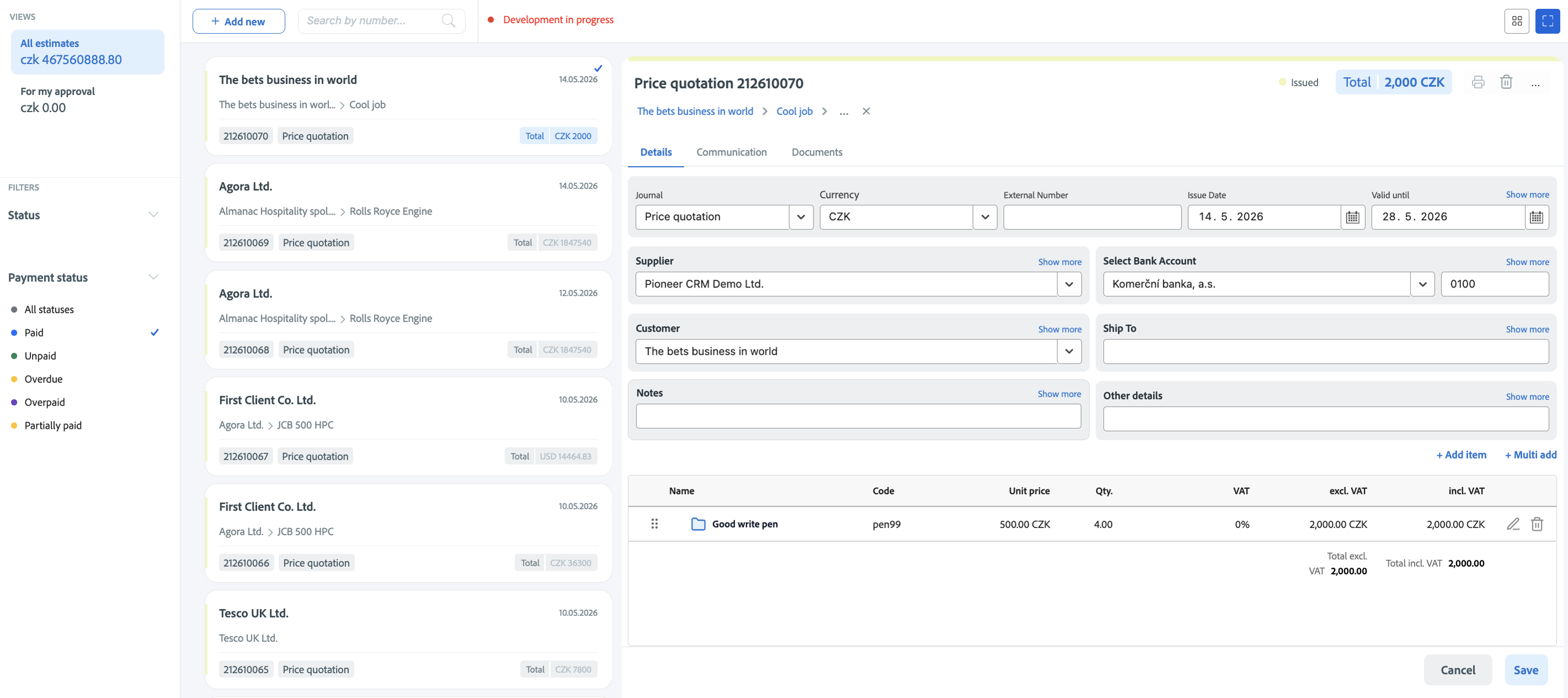
Unified Order Management (Sales Orders, Purchase Orders, Offer Received)
AddedStandardized Interface: All order types now share afullconsistent,calendarmodernviewwebwithdesignmonth,forweek,easier navigation.- Split-Screen Editor: Efficiently manage your document list and
daydetaillayouts.side-by-side. AddedDynamicaDocumentcalendarHandling:user-
Sales Orders: Manage client commitments and track expected delivery.
-
Purchase Orders: Streamline procurement and supplier communication.
-
Offer Received: Track and process incoming vendor proposals.
-
Real-time Calculations: Automatic updates for
viewingVAT,othertotals,users'andcalendars.currency conversions across all documents. Added
switchera CalDAV settings dialog for syncing external calendars.-
Added a change password dialog accessible from the user header.
Communication and Messaging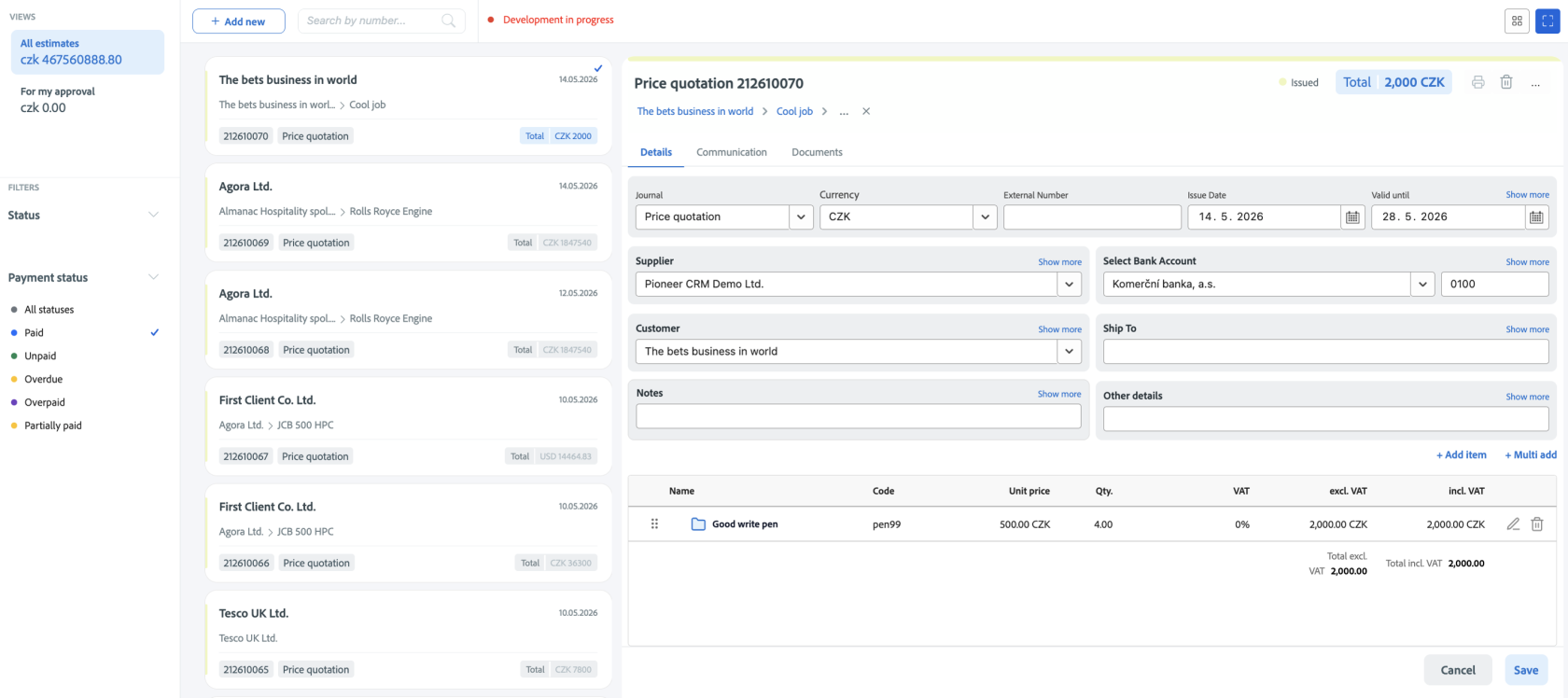
Added a dedicated Message Move dialog for moving messages between contexts.Added a Resolve Message Options dialog to handle status changes on resolution.Added an Email Sender Contact Badge that surfaces matching contacts inline in the message list.Added bulk selection of messages through a reusable Bulk Select Checkbox component.Added a Duplicate Contact modal triggered during new contact creation.
Invoices
Added an Invoice Timeline view for chronological tracking of invoice events.Added an Invoice Communication view for invoice-related messages.Added an Invoice Documents view for related document handling.Added tracking code and company info resolution based on VAT and registration numbers during invoice context creation.
Projects and Activities
Added a Change Project Type dialog with full type-switch workflow.Added "Move Project" and "Move Activity" actions.Added billing and product filter controls to the filter renderer.Added text and numeric filter controls to the filter renderer.
Tasks and Issues
Added a dedicated Task Timeline view.Added a dedicated Issue Timeline view.
Enhancements
Calendar
Improved calendar responsiveness across desktop, tablet, and mobile.Improved calendar header, filter, and date picker components.Improved the events list with richer card content and table view.Improved Add/Update Event flow with additional fields and validation.Improved calendar app integration up to release candidate 3.
Communication and Messaging
Improved the new message dialog and composer, including a redesigned layout and editor.Improved comment chat window with richer formatting and event handling.Improved messages component, messages card components, and swipeable mobile rows.Improved communication list and communication menu navigation.Improved message resolution utilities and compose send pre-flight checks.Improved TinyMCE editor integration and configuration.
Invoices
Improved Add/Update Invoice form with refined bank, supplier, transaction, and comment sections.Improved invoice card and detail components for clearer status presentation.Improved customer and supplier dropdowns within invoice forms.Improved invoice filter component behavior.
Contacts and External Contacts
Improved External Contacts component, contact card, and contact creation flow.Improved Contact Detail view and mobile detail view.Improved Contact Relationship wrapper and relations detail components.Improved Contact Timeline view across desktop and mobile.Improved Company Name dropdown and add-company / add-person flows.
Filtering and Views
Improved Filter Search Text Box parameter handling and readability.Improved Filter Control Renderer with refined folder filter pattern handling and category extraction.Improved Filter Controls and Quick Filter Controls for project and service activities.Improved Project Activities view loading and data hook.Improved Standard Status Filter dropdown and item type filter components.
Header Toolbar and Navigation
Improved Activity, Folder, and Project components in the header toolbar.Improved Status Pipeline Toolbar and FPA status button.Improved buttons component and header toolbar layout consistency.Improved Finder context tree, finder details, and finder layout.
Mobile and Layout
Improved App Tab Container and App Menu for mobile, including new container item styles.Improved Mobile Menu navigation and User Header / User Navigation Mobile.Improved mobile detail views in project activities and service activities.Improved Reef Timeline view shared across modules.Improved Tabs Layout component spacing and behavior.
Products and Project Items
Improved Product Component, Product Detail view, and Product Detail mobile view.Improved Project Product tree, new activity add/edit, and tree component.Improved Project Item Grid with refined column handling.Improved Numeric Text Field and ComboBox cell editor in tree grids.Improved Activity, Billing, Expense, and Timesheet line components.
Context and Search
Improved Context Selection with new icons, improved selection state, and richer types.Improved Context Search state and FPA list request integration.Improved Context New dialog with additional fields and contact-type wiring.Improved Context Move dialog and added success-effect handling.
Localization
Improved Czech translations across calendar, contacts, invoice, common, and layout modules.Improved English translations for invoices, layout components, and contacts.Improved Bulgarian, German, French, Spanish, Italian, Polish, Romanian, Russian, Slovak, Ukrainian, and Arabic invoice translations.Improved multilingual consistency of labels, statuses, and form text.
Bug Fixes
Calendar: Fixed responsiveness, header layout, filter handling, and event detail behavior.Calendar: Fixed event work-type filter and FPA list dropdown issues.Messaging: Fixed email composition issues including attachments, settings, and pre-flight handling.Messaging: Fixed message list rendering, swipeable mobile row behavior, and card component styles.Messaging: Fixed new message component and dialog state handling.Invoices: Fixed invoice transaction, supplier, and bank section inconsistencies.Invoices: Fixed customer and supplier dropdown duplication.Invoices: Fixed translation keys across all supported invoice locales.Contacts: Fixed external contact creation, contact detail rendering, and relations refresh.Contacts: Fixed contact card and context menu button behavior.Filtering: Fixed filter renderer issues with folder, billing, and product filters.Filtering: Fixed quick filter control synchronization in service activities.Header Toolbar: Fixed Activity, Folder, and Project component layout and behavior.Header Toolbar: Fixed status pipeline toolbar and FPA status button rendering.Mobile: Fixed App Tab Container and App Menu Mobile navigation issues.Mobile: Fixed mobile detail view layout in project and service activities.Projects: Fixed Project Item Grid behavior and column rendering.Projects: Fixed product line, billing line, expense line, and timesheet line components.Tasks and Issues: Fixed task and issue detail views, including create-issue dialog and add/update task flows.Documents: Fixed Document Create/Update form behavior.PDF: Fixed PDF rendering errors by falling back to the native viewer.Forms: Fixed form view rendering and updated form service handling.Finder: Fixed finder context tree behavior and details panel layout.Localization: Fixed Czech translations in layout components, invoice, and common modules.Build: Fixed build issue caused by a missing focus dependency.