Atollon 2025 Innovations
- Atollon Innovations (week 52)
- Atollon Innovations (week 42)
- Atollon Innovations (week 37)
- Atollon Innovations (week 22)
Atollon Innovations (week 52)
New Features
Tasks
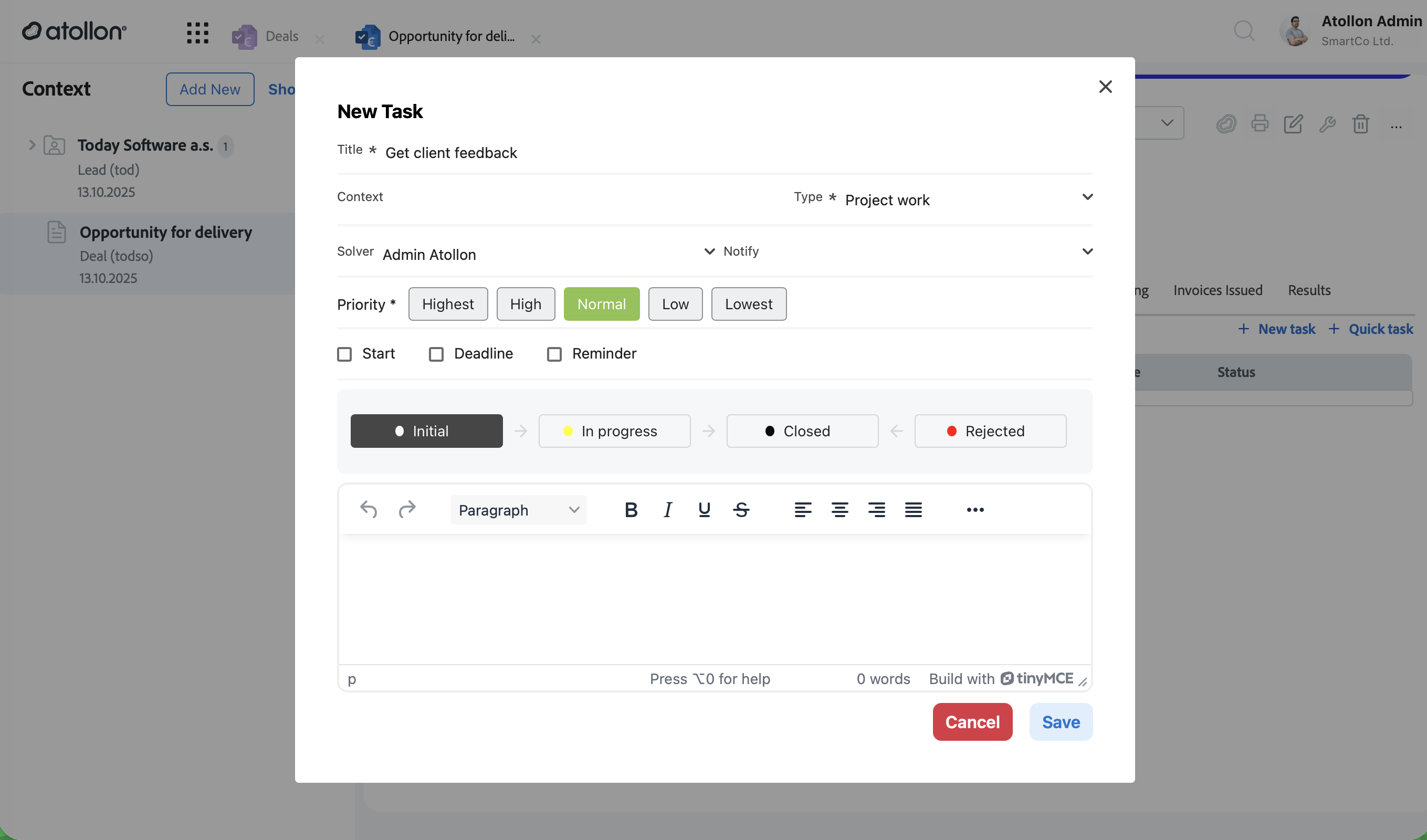
- Create tasks faster: “Add task” is now “New task”, with a Quick task option for rapid entry.
- Unified add/edit dialog: A clearer task creation and editing flow in one place, helping users capture work immediately.
- Better categorization: Improved Status and Work Type options make task lists easier to organize and prioritize.
Billing / Service Reporting
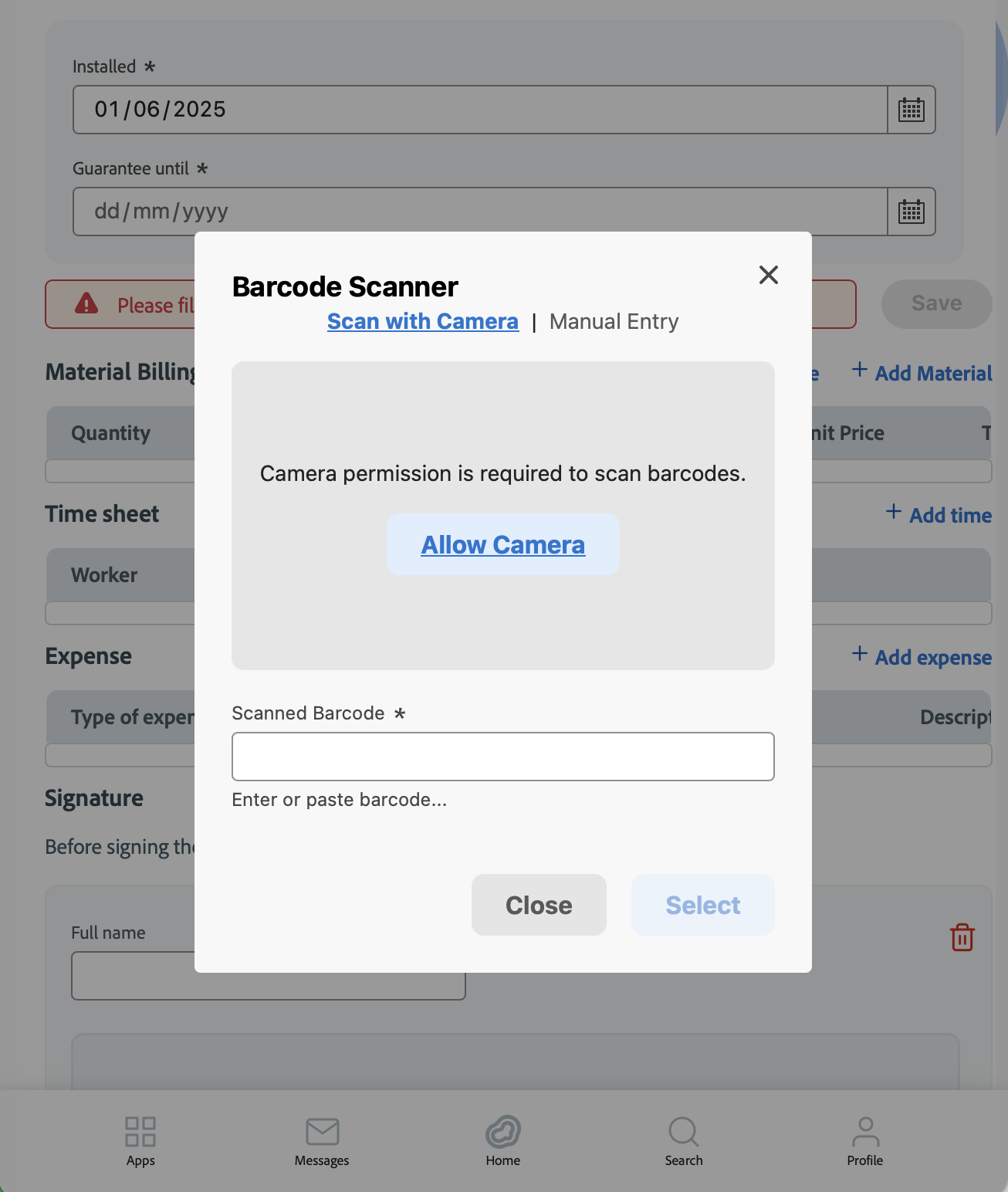
- Barcode scanning for material entry: Add items by scanning a barcode/QR code, reducing manual typing and helping prevent errors.
Products & Inventory
- Component Categories support: Products and items can include component category information, improving classification of complex products and assemblies.
- Better handling of shared product references: Improved support for scenarios where the same product reference is shared across multiple manufacturers/distributors.
Folders & Data Capture
- New folder creation forms: Additional “create folder” flows (e.g., company/person/user/simple) support faster and more consistent data entry.
Enhancements
Calendar
- Smoother on tablets and phones: Calendar and event details adapt better to your device, improving usability on iPad and other tablets.
- Expanded translations: Calendar labels (months, weekdays, key details) improved across supported languages.
Communication
- Easier replies: Refined messaging navigation and reply flows, including Reply / Reply All where available.
- Faster searching: Improved message list searching (including sender search) to find communication history more quickly.
- More consistent layout: Message lists and conversation views behave better on smaller screens.
Invoicing & Billing
- More complete invoices from items: Invoice generation fills key header fields more reliably (e.g., payment details, due date, provider address selection), reducing manual corrections.
- Better accounting alignment: Taxation date can follow the activity’s final date, improving accuracy when invoicing completed work.
- Improved account selection: Invoice-from-items uses the most relevant account information when available, supporting cleaner finance workflows.
Projects & Filtering
- More precise project searching: Advanced project lists can filter by additional form fields, helping users find projects using business-specific attributes.
- More relevant context selection: Improvements to folder/project filtering make it easier to locate the correct context in activity-driven workflows.
Time Sheets & Reporting
- Richer time reporting: Time sheet reporting includes additional context and status details for clearer analysis and management reporting.
- Better invoice-linked time handling: Improved consistency when time sheets are associated with invoices.
Finder
Contacts
- More reliable pickers: Contact and user dropdowns handle empty/partial data more gracefully, improving selection and filtering.
Access & Security (User-facing)
- Session visibility: Users can view their own active sessions, supporting transparency and basic account safety checks.
Bug Fixes
Invoicing & Financial Accuracy
- Fixed rounding and total calculation issues when creating invoices from items (including VAT totals) for more reliable financial outputs.
- Fixed cases where key invoice fields could be missing or inconsistent in invoice-from-items flows.
Communication
- Fixed selection issues that could cause the wrong conversation/item to appear in some cases.
Finder
- Fixed edge cases where navigation state could become inconsistent after changing items or moving through hierarchy.
Contacts
- Fixed edge-case validation issues in company–person relationships that could impact “primary contact” behavior.
- Improved reliability of mass-mail sending after database upgrades.
Projects & Activities
- Fixed saving/display of master project name in certain create/update flows.
- Fixed template-based pricing defaults in folder/project creation, reducing incorrect initial values.
- Fixed an issue that could block activity deletion in specific team-assignment scenarios.
Login & Forms
- Improved login stability in white-label scenarios, reducing the chance of duplicate login processing.
- Fixed issues with empty values in dropdowns that could lead to incorrect selections or confusing behavior.
Lagoon Desktop App — Release Notes
Latest Updates (2025)
New Features
Billing & Invoicing
- Barcode column on billing items
Billing item lists can now display a Barcode column, making it easier to identify items and align billing with warehouse or service data. - Create invoice from service activity
You can now generate invoices at the activity level, simplifying the path from work performed to billing. - Ship-to address on all invoice documents
All invoice types now support a dedicated Ship To address, incl. Estimates and Orders.
Estimates, Orders & Invoices
- Additional header text fields
Estimates, orders, and invoices now support optional custom text fields in the header, allowing clearer communication of notes, terms, or special conditions.
Products
- Component categories for products
Products can now include component categories, helping structure complex products and improving clarity when working with related or nested items.
Enhancements
Pricing & Financial Accuracy
- Improved unit price calculations
Fixed rounding and formatting issues to ensure accurate pricing, even for values with thousands separators or complex decimal logic. - Exchange rate change confirmation
Users are now clearly prompted to confirm when an exchange rate change affects a deal, reducing unintended pricing changes.
Projects & Structure
- Improved master–slave project creation
Creating projects from master templates is now more reliable, with clearer handling of master vs. simple project creation and correct linkage. - Master project visibility
Project lists can now display the Master Project reference, making relationships between projects easier to understand.
Forms & Layout
- More flexible form layouts
Designers can now remove padding in selected form layouts, allowing more compact and visually controlled forms. - Improved captions and labels
Form captions are clearer and more consistent, improving readability across complex forms.
Communication & Signatures
- Enhanced signature settings
Email and document signatures now support additional configuration options, including secondary titles. - Corrected reply behavior
Fixed an issue where sender and recipient fields could be swapped when replying to messages.
Localization & Platform Support
- Updated Czech translations
Improved Czech localization for better clarity and consistency. - Updated timestamp service
Improved reliability of timestamping services, including better support for macOS.
Bug Fixes
- Fixed sorting and searching issues in context documents.
- Resolved missing or incorrect captions in form controls.
- Fixed pricing calculation inconsistencies on product and item detail screens.
- Improved stability and correctness when converting emails into projects.
- General fixes and refinements for smoother daily use of the desktop application.
Atollon Innovations (week 42)
New Features
Calendar Views
-
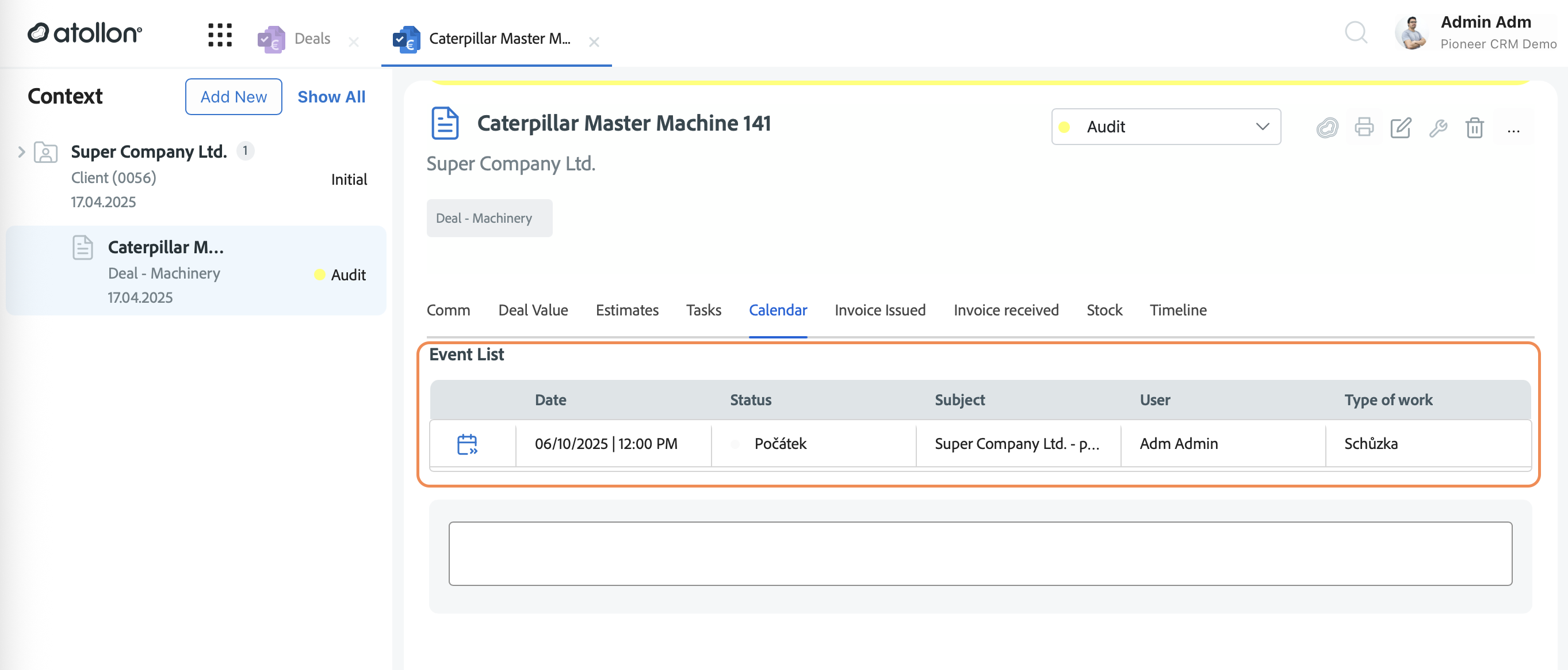
Introduced a completely redesigned Calendar experience, now presented as “My Events” and “My Team’s Events”.
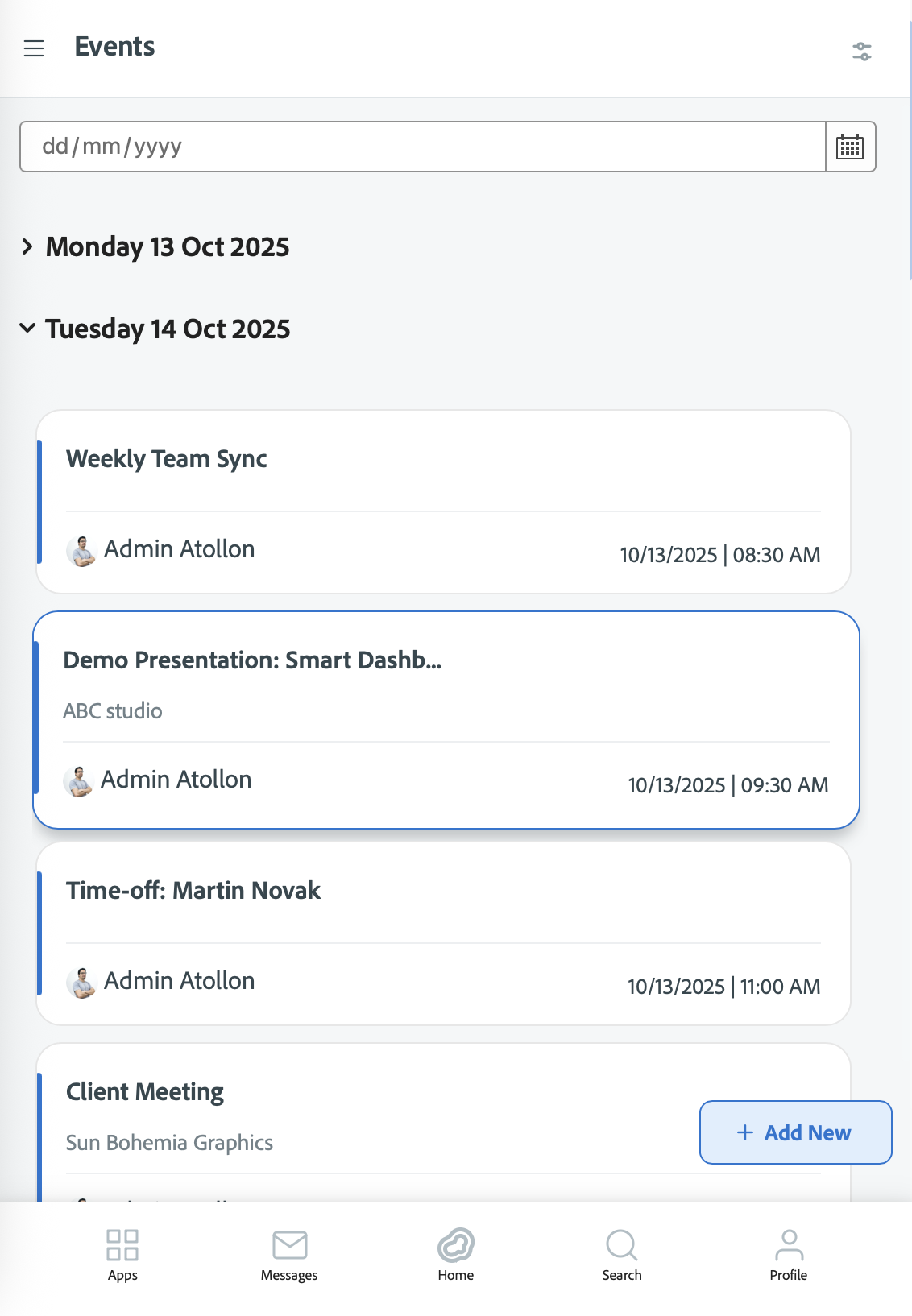
- Quickly browse from today's agenda to context - client detail, project or (service) activity
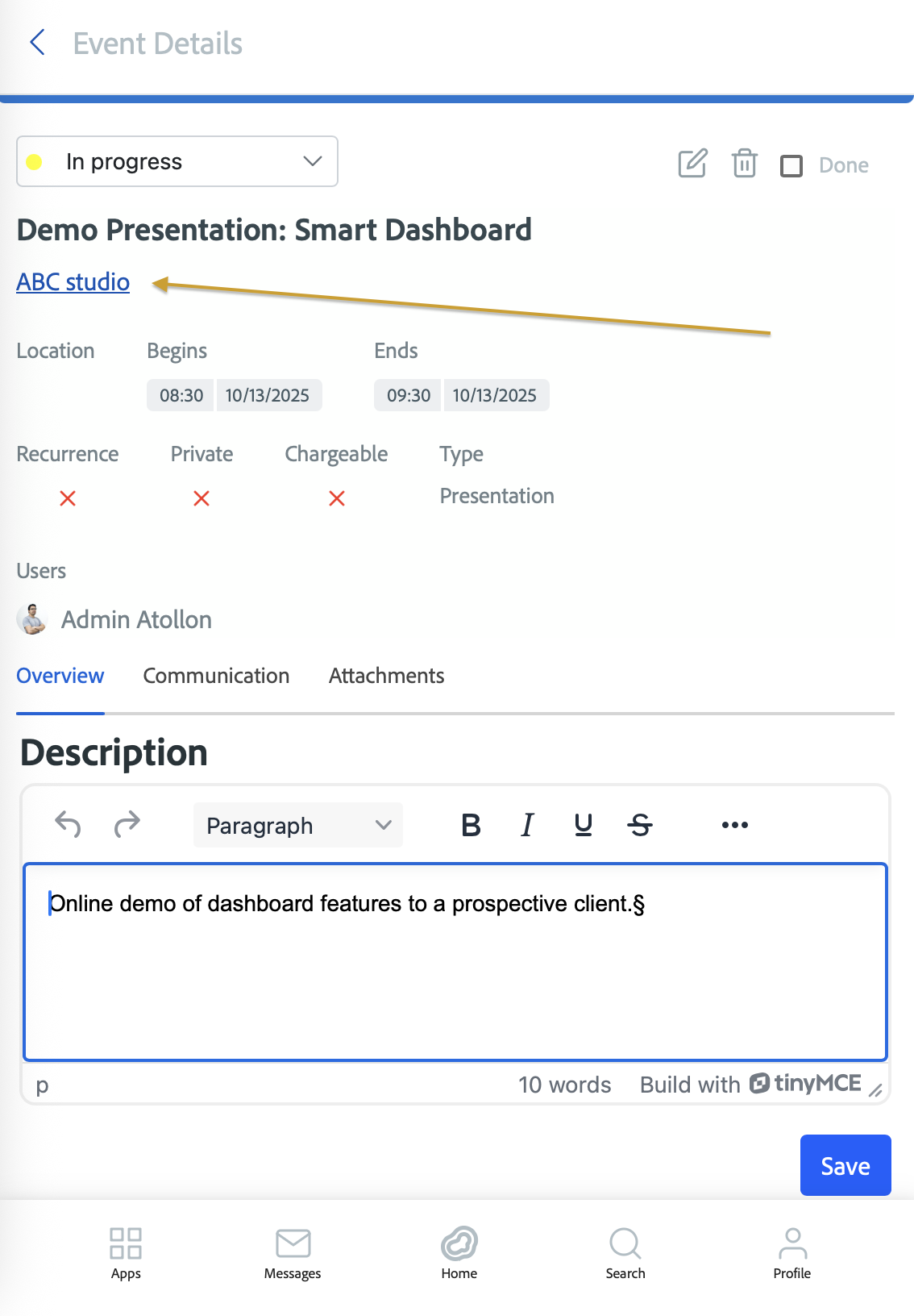
-
Added new calendar views showing events grouped by Today, Tomorrow, and Future.
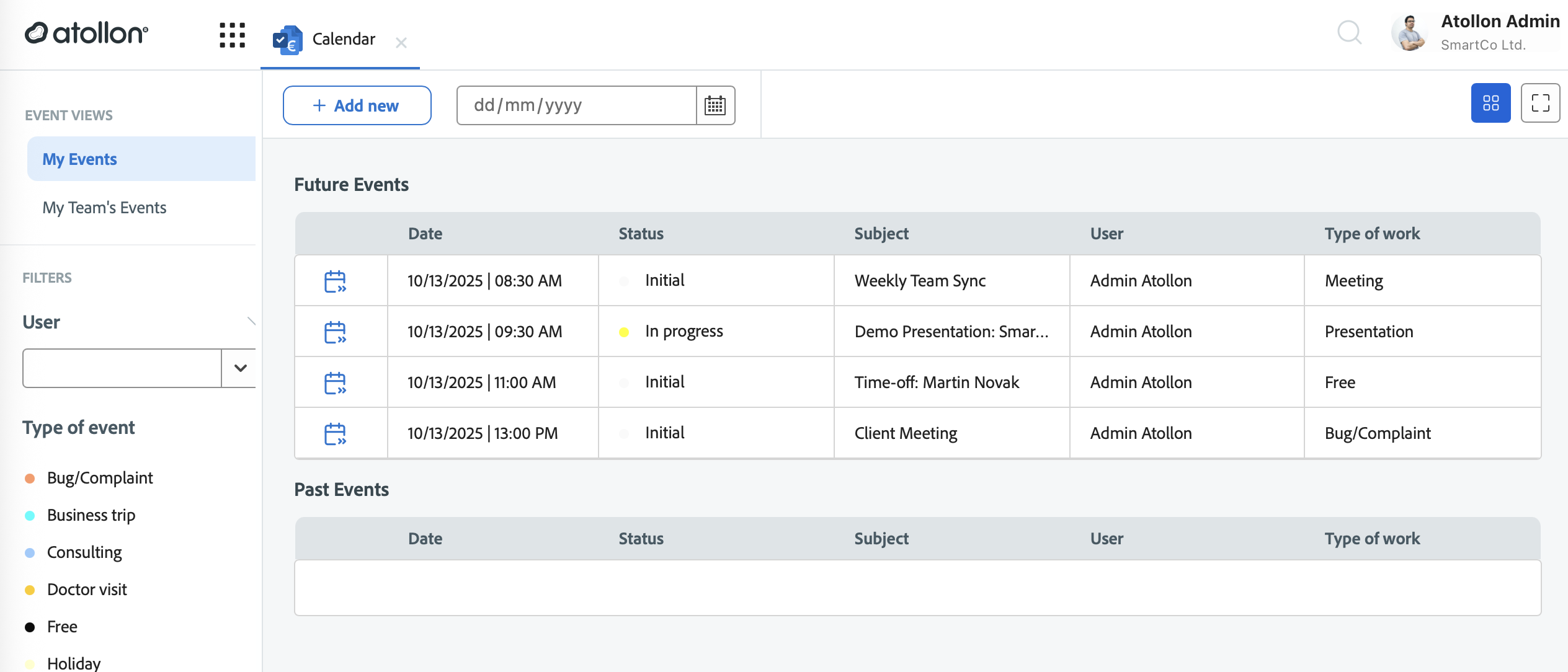
- Improved visual design and responsiveness across desktop, tablet, and mobile devices.
-
Added confirmation dialogs for key actions and new icons for event management.
Product Catalog
-
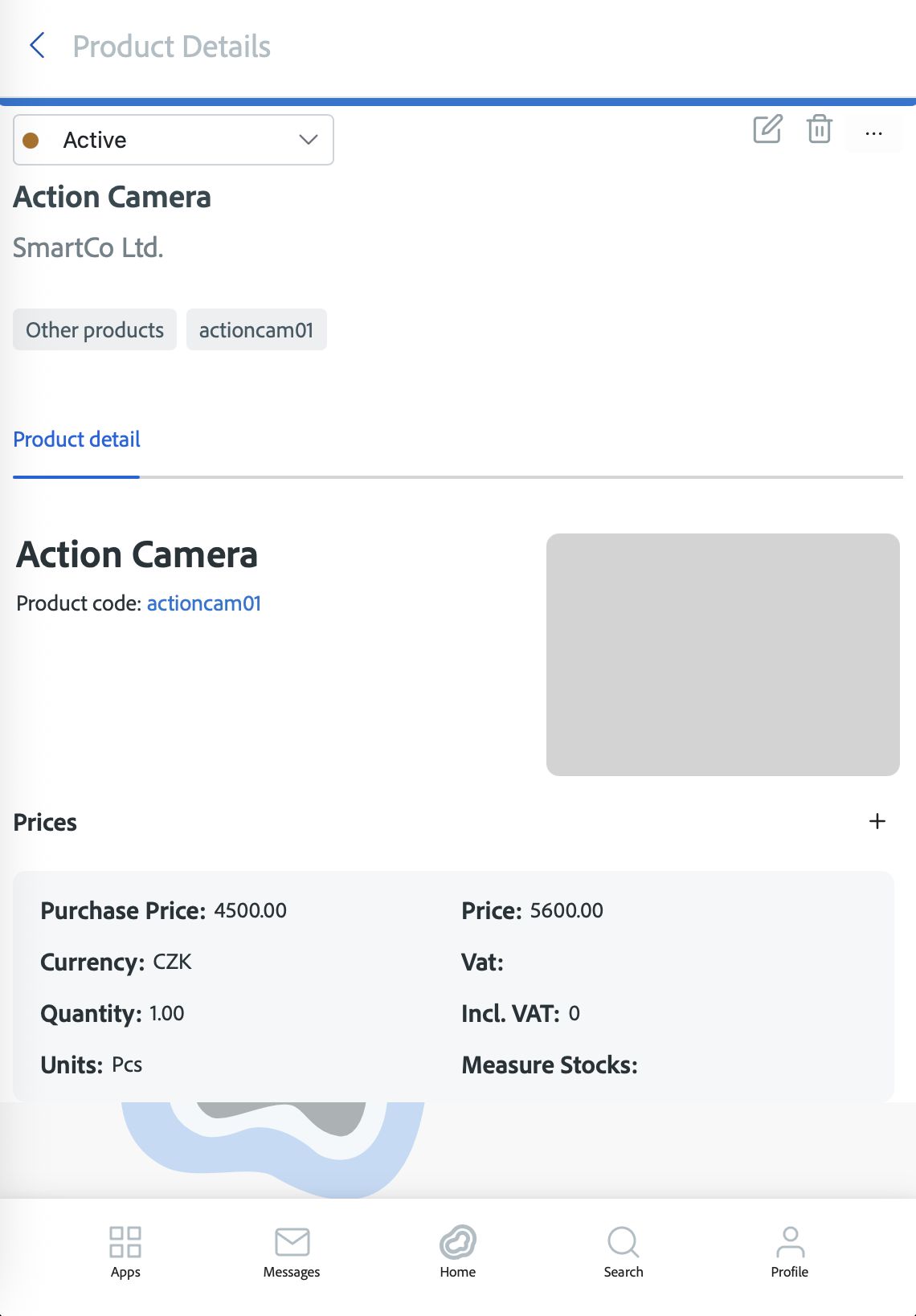
Introduced an enhanced Product Catalog for easier browsing, adding, and updating products.
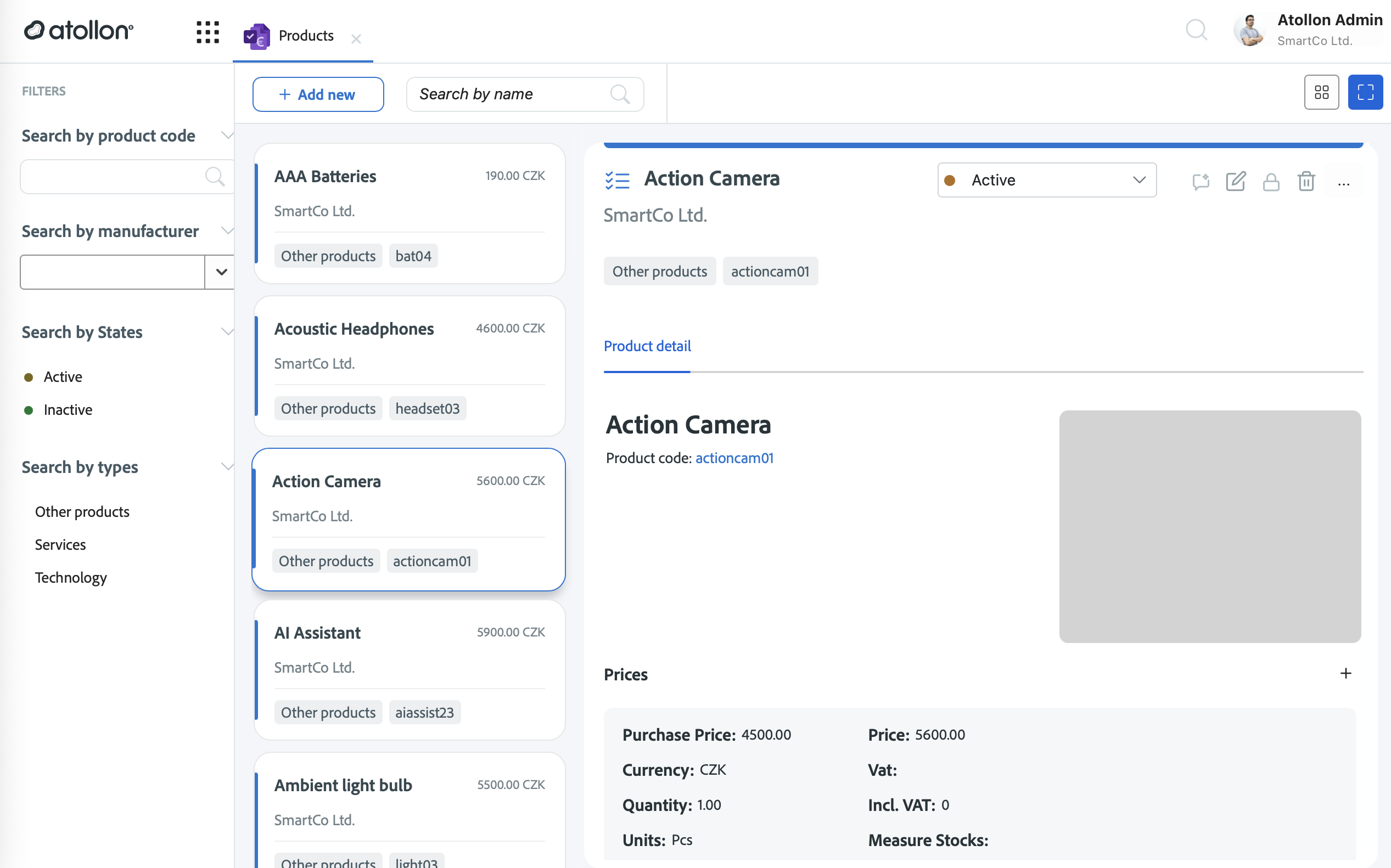
-
Added clearer action buttons (“Add New”, “Update”, “Keep it”) and improved data validation.
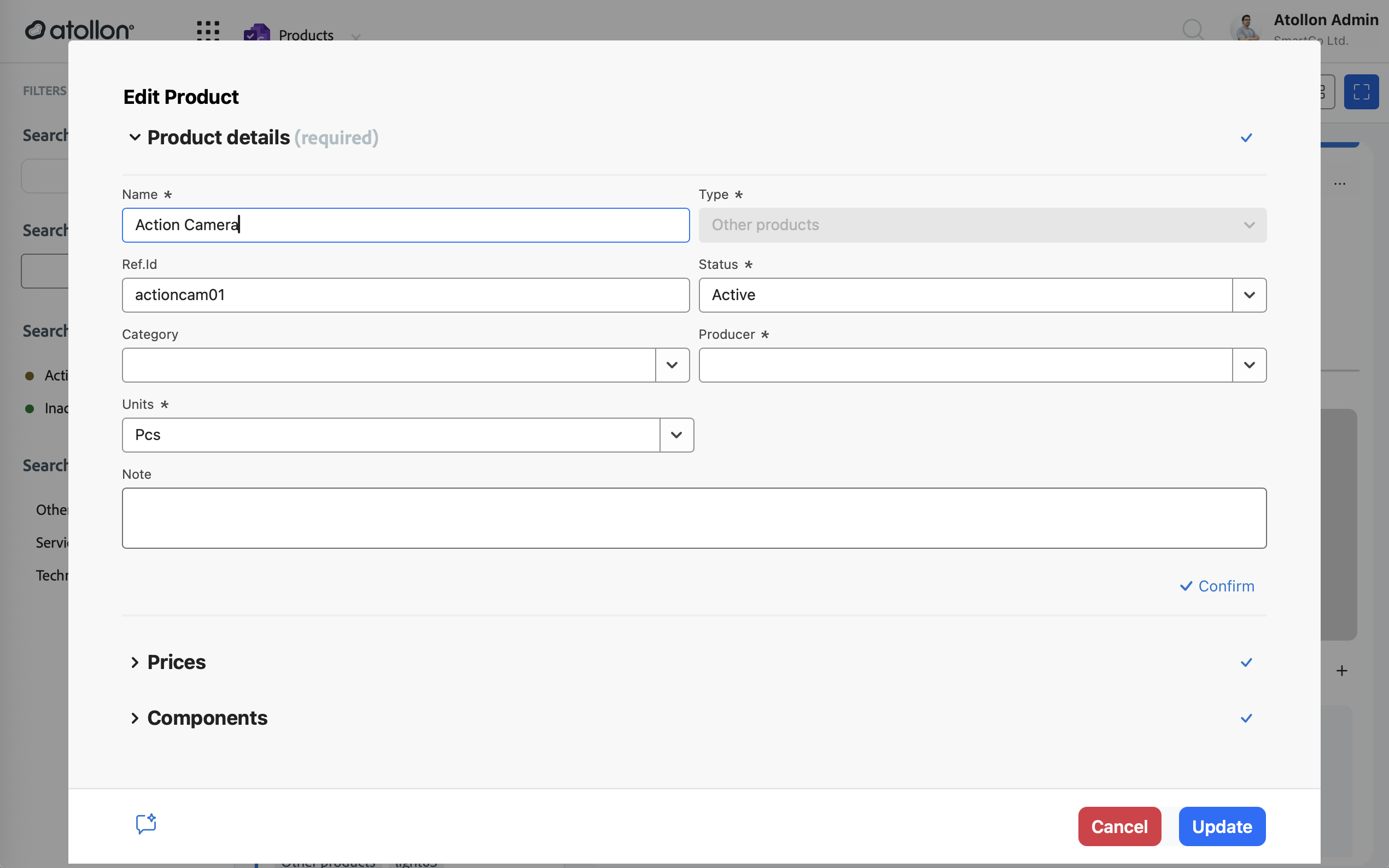
-
Improved mobile layouts and filtering options for faster product management on all devices.
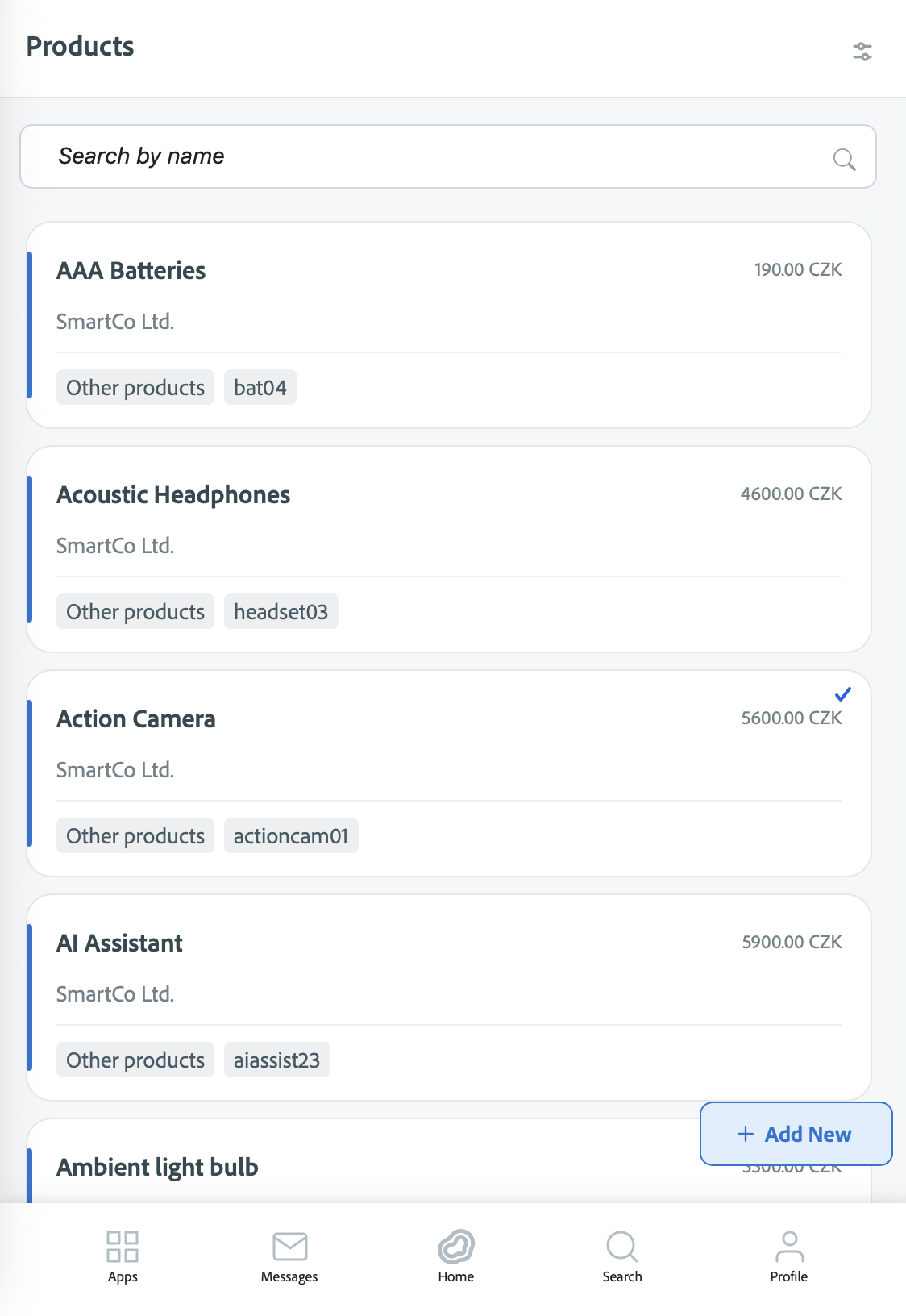
- Expanded translations for product-related labels across multiple languages.
Enhancements
Contacts Loading
-
Contact lists now load faster, even for large databases, thanks to new pagination and background loading.
-
Improved search speed, added loading indicators, and enhanced error handling for smoother navigation.
Tracking Categories Support
-
Added support for Tracking Categories to better organize data in activities, projects, and folders.
-
Tracking options now appear in relevant dropdowns, filtered automatically based on context.
-
Improved data consistency and accuracy by aligning tracking categories with dimension settings.
User Interface & Usability
-
Improved Finder and Sidebar layouts for easier navigation and resizing on touch devices.
-
Standardized form and picker widths across billing, expense, and timesheet sections for a more consistent look.
-
Enhanced overall responsiveness, ensuring clean layouts on mobile and tablet screens.
Bug Fixes
-
Fixed issues causing missing or incorrect contact data during selection.
-
Corrected date format inconsistencies (now DD.MM.YYYY).
-
Fixed layout and overflow problems in Finder and Timesheet components.
-
Improved translation accuracy for Czech localization.
-
Removed unused console logs and resolved minor runtime and styling errors for a smoother experience.
Atollon Innovations (week 37)
New Features
Beautiful Proposals
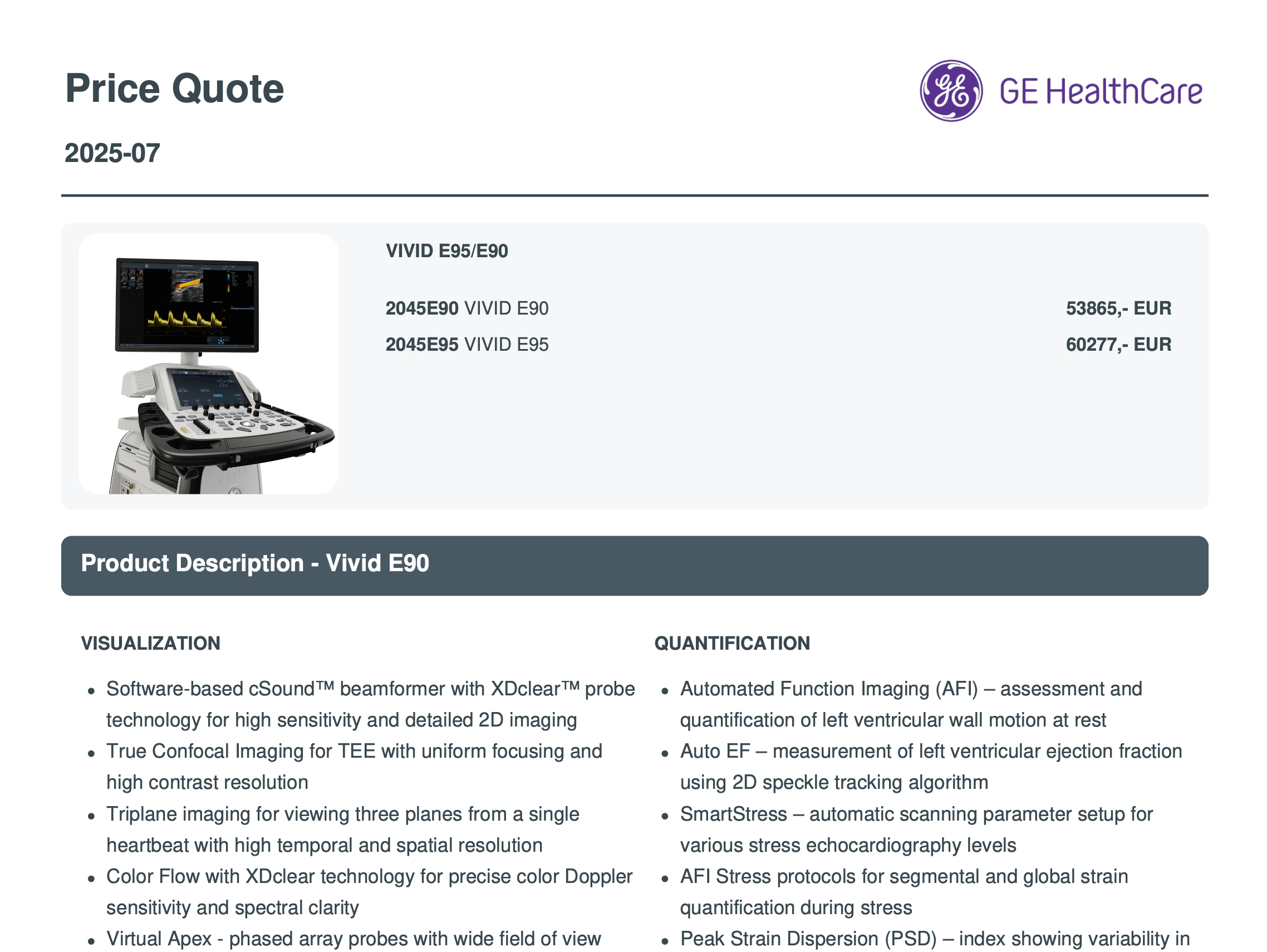
- For ages, we have been saying to clients we can't create beautiful rich text proposals with images. It has changed with current Atollon release. Big part of that "win" is newly integrated document editor, which allows users to add rich formatting to product descriptions.
Document Editor
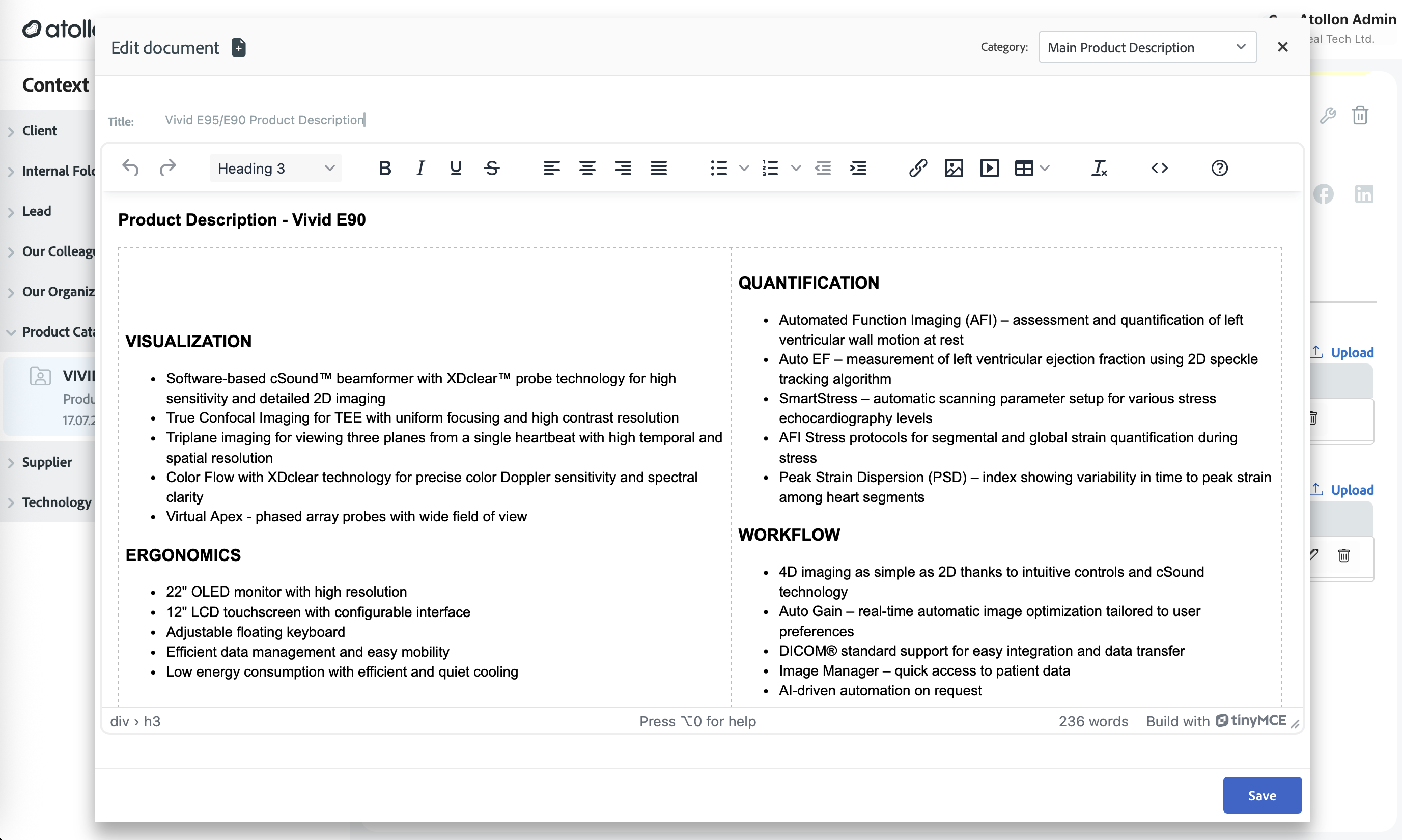
- Create and edit rich documents just inside of Atollon.
-
New document editor includes auto-save functionality and protection against accidental window closing with unsaved changes.
-
Added confirmation dialog for unsaved changes in document editing.
Custom Forms
-
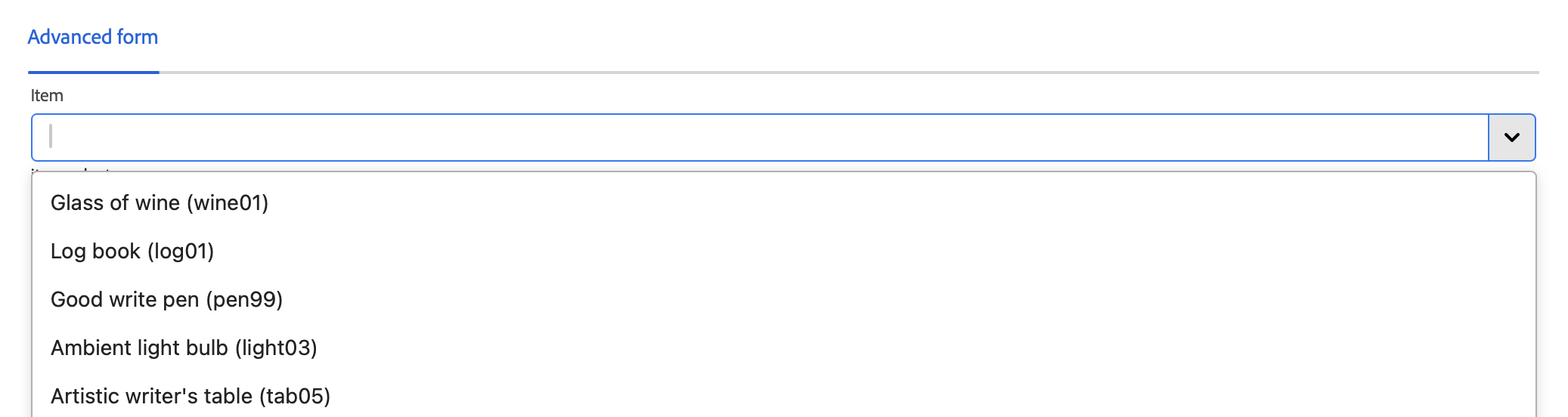
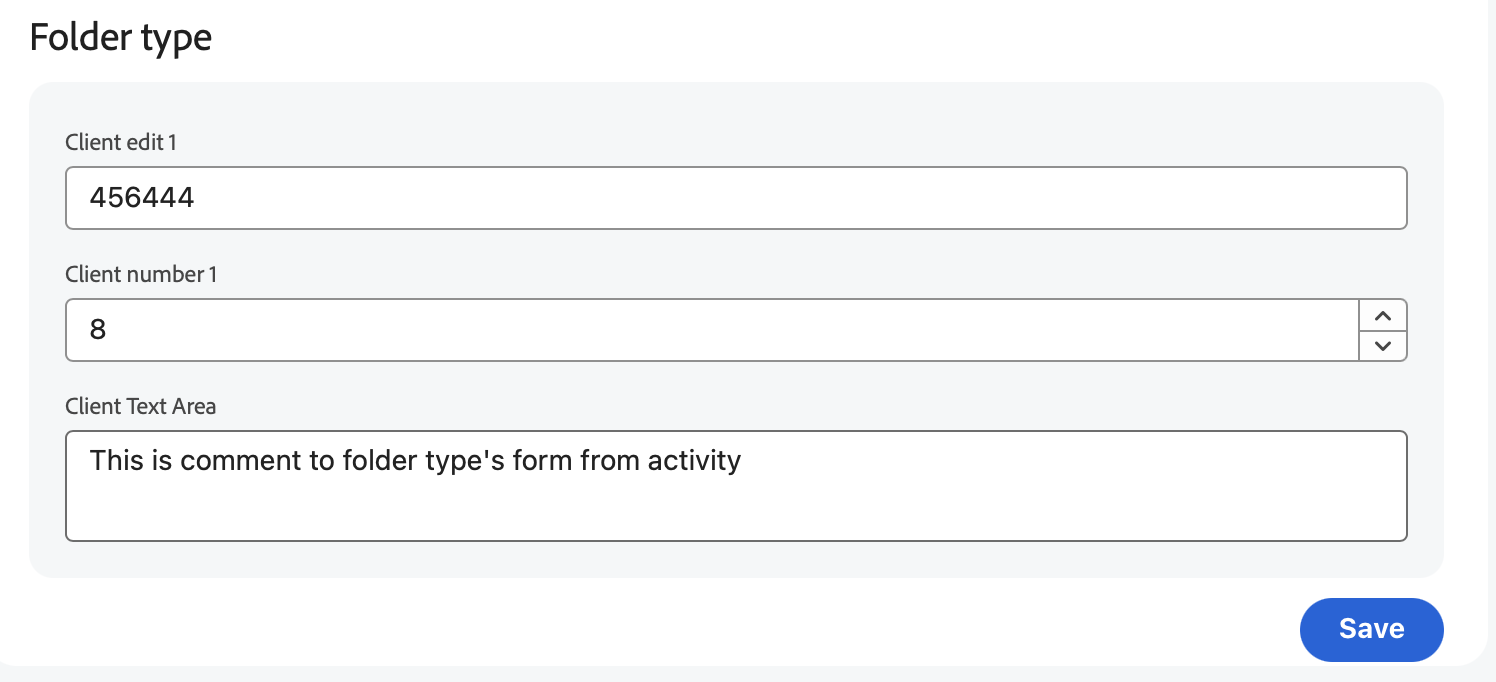
Custom forms now allow picking products.
-
Added many custom formatting options for custom forms.
Projects
-
Added ability to link master project from a slave project to support master/slave configurations (e.g., dealer / end user relations).
-
Finder now supports listing slave projects, enabling dealers to view related end user deals.
Media & Assets
-
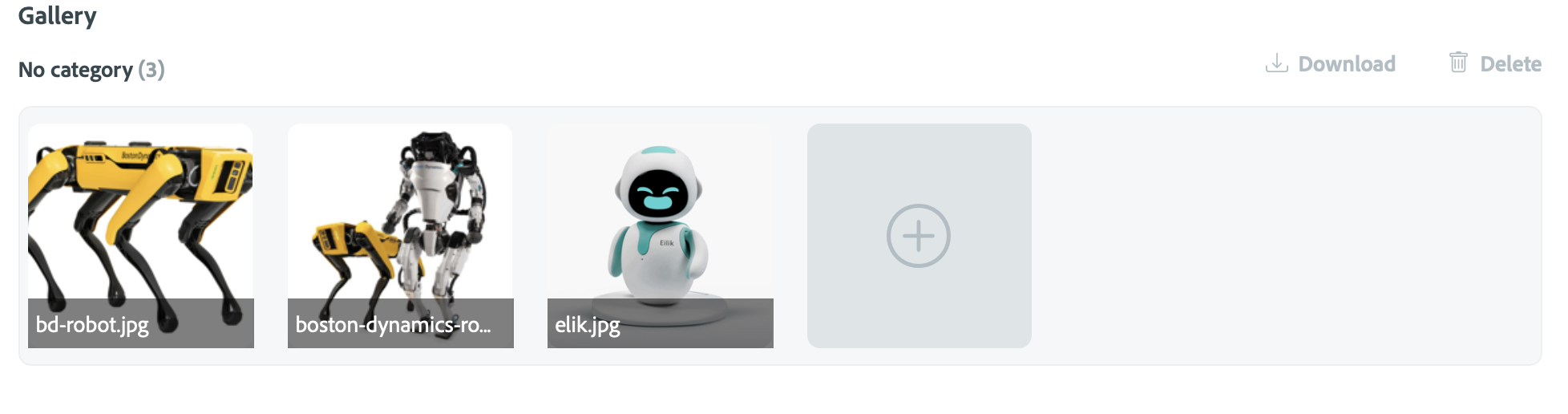
Implemented improved image thumbnail service for higher quality previews.
Enhancements
Contacts
-
Optimized contact data loading for faster performance.
-
Added language support for contacts.
- Improved navigation handling in Contact module.
UI & Components
-
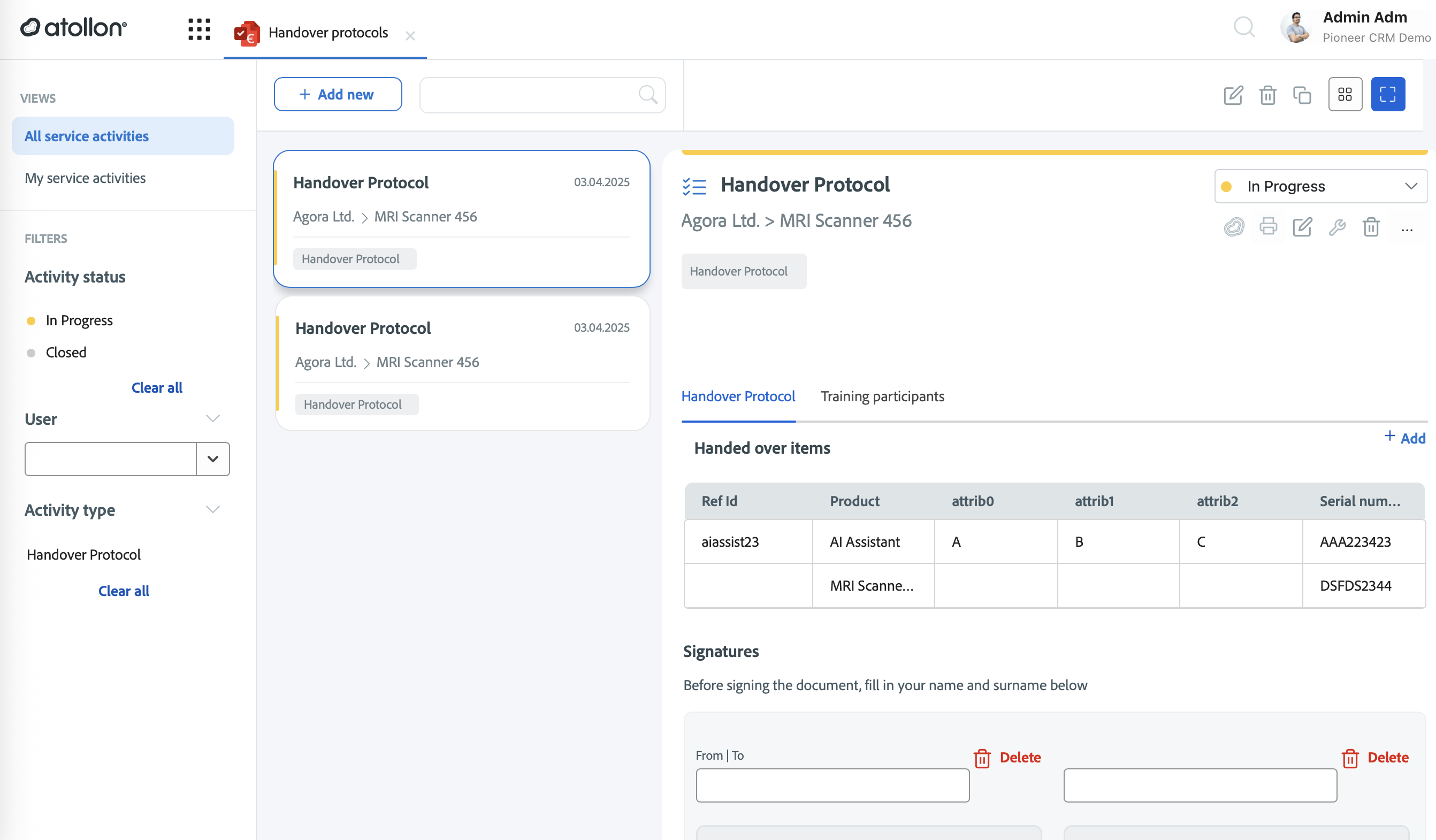
Multiple UI components updated and improved (Forms, Layout, Dropdowns, Lists, Messages).
-
Refactored activity filters and layouts for better responsiveness.
-
Enhanced styles across service activity headers, gallery, and forms.
Editor
- Improved TinyMCE configuration (script paths, CSS embedding, blacklist handling).
Miscellaneous
- Improved iPad and Android tablets compatibility.
Bug Fixes
Contacts
-
Fixed crash when adding a new contact during client creation.
-
Resolved multiple contact-related issues in creation, viewing, and saving.
-
Addressed app crashes and missing data in new contact workflows.
Custom Forms
-
Various layout improvements and bug fixes in custom forms.
Messaging & Communication
- Resolved issues with floating/new message windows on desktop and mobile.
-
Improved mobile message and product views.
Documents
-
Fixed document category saving issues.
-
Resolved HTML save errors in documents.
-
Fixed document change handling and saving reliability.
PDF & Viewer
-
Fixed multiple PDF component issues and improved printing stability.
-
Added support for independent PDF viewing.
UI & Stability
Atollon Innovations (week 22)
Atollon Mobile 2.0 (codename Reef)
New Features
Contacts
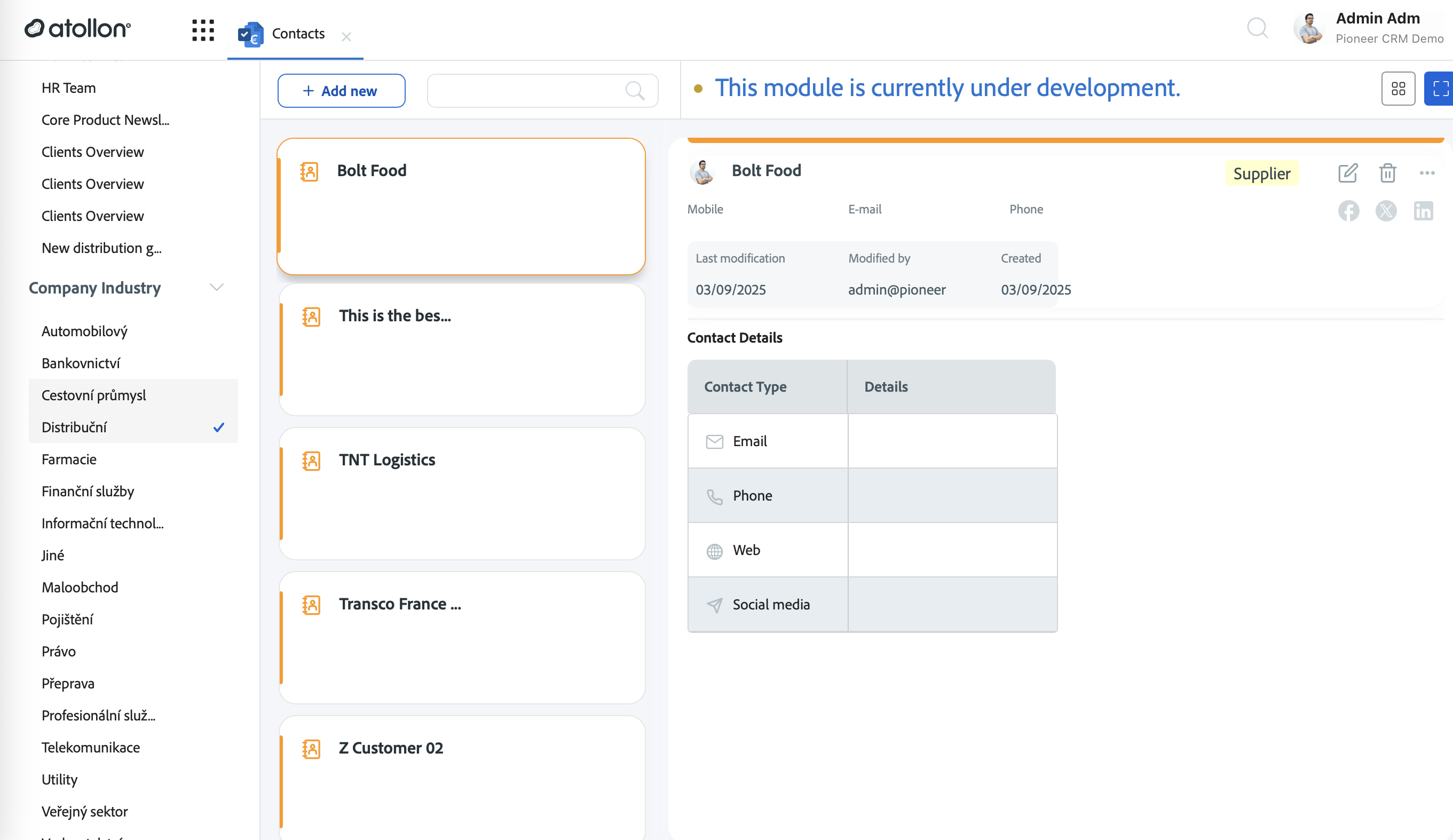
- Full Contacts app (list, detail, create)
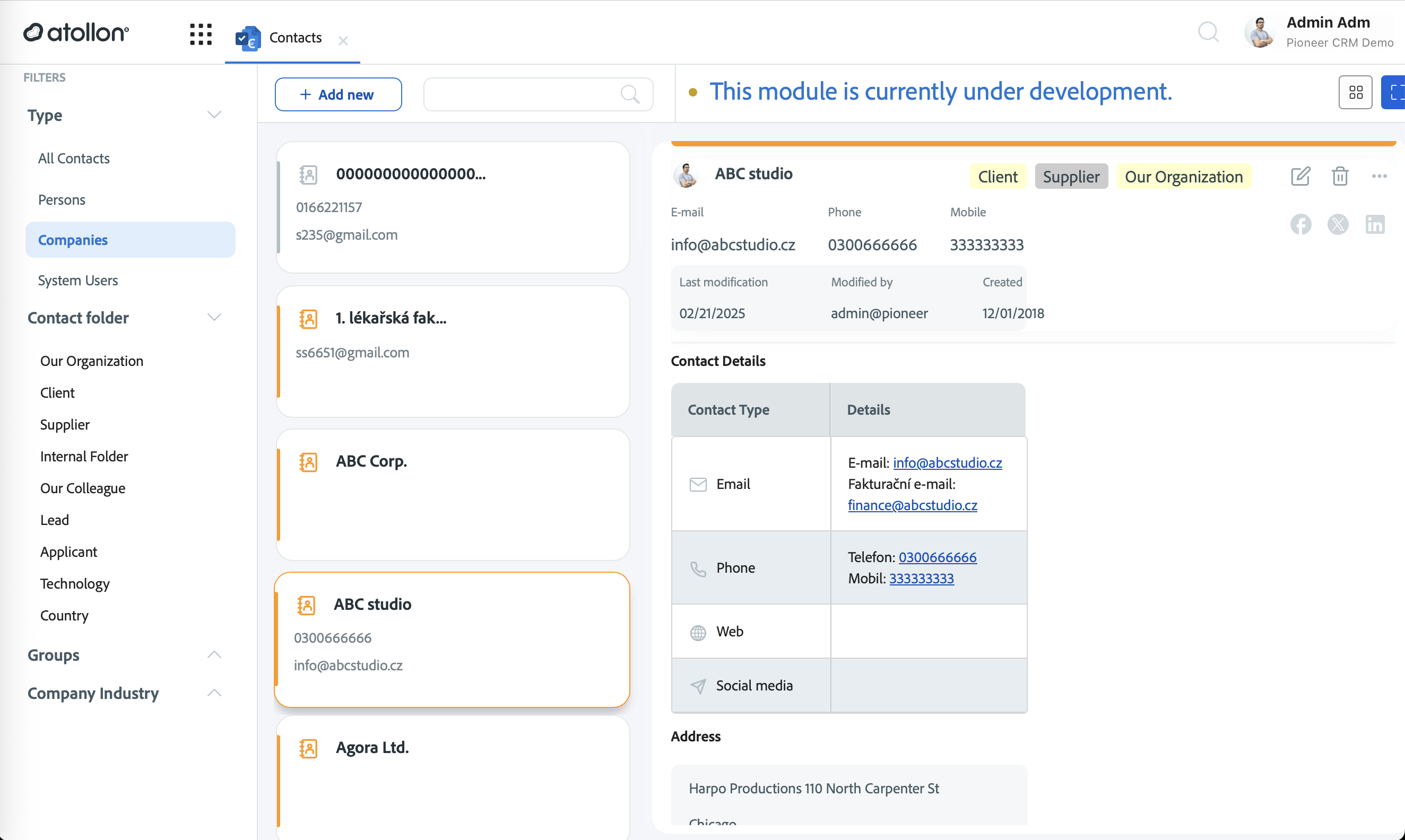
- Mobile contact view
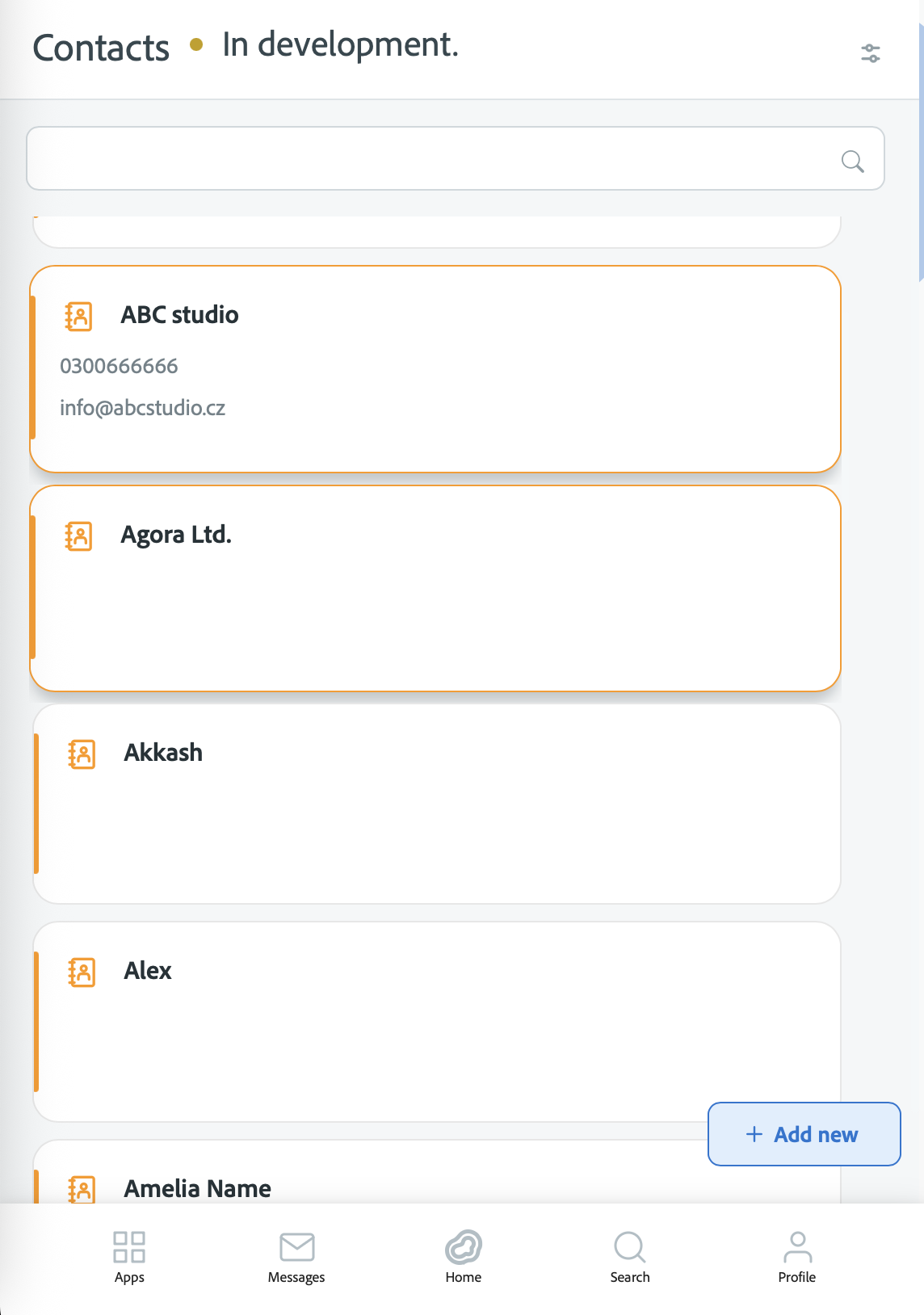
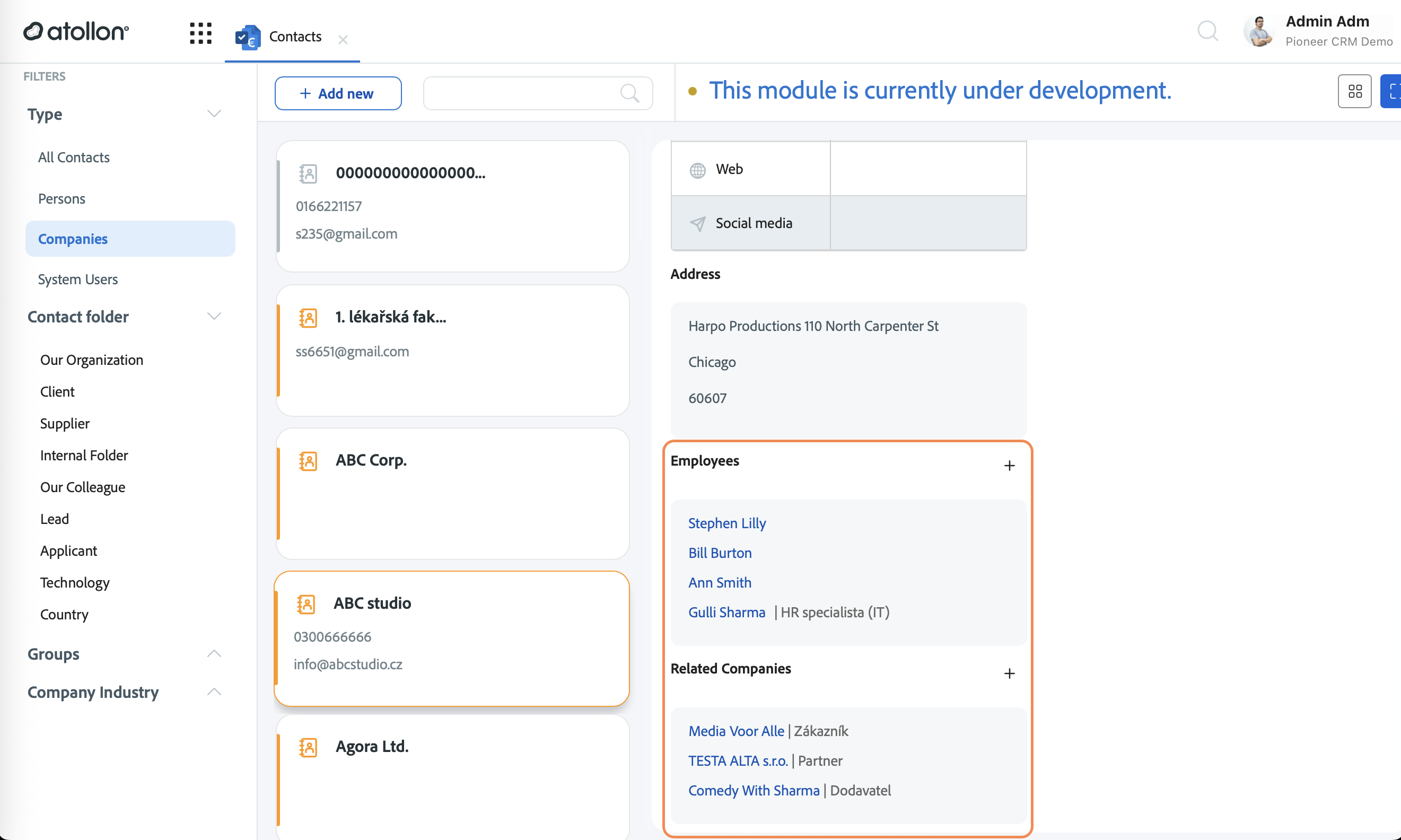
- Contacts - relations to employees and other companies
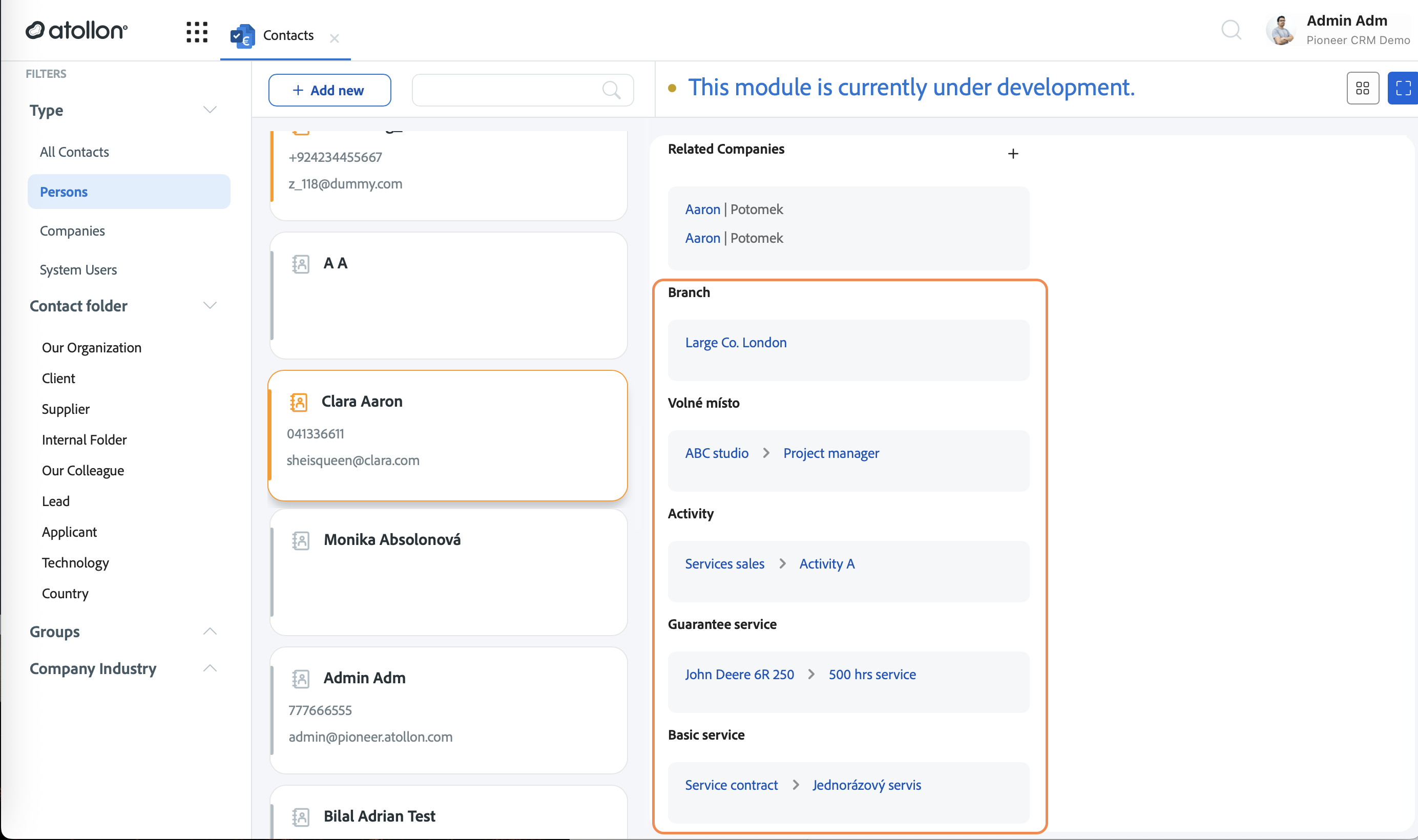
- Contact details - related contexts
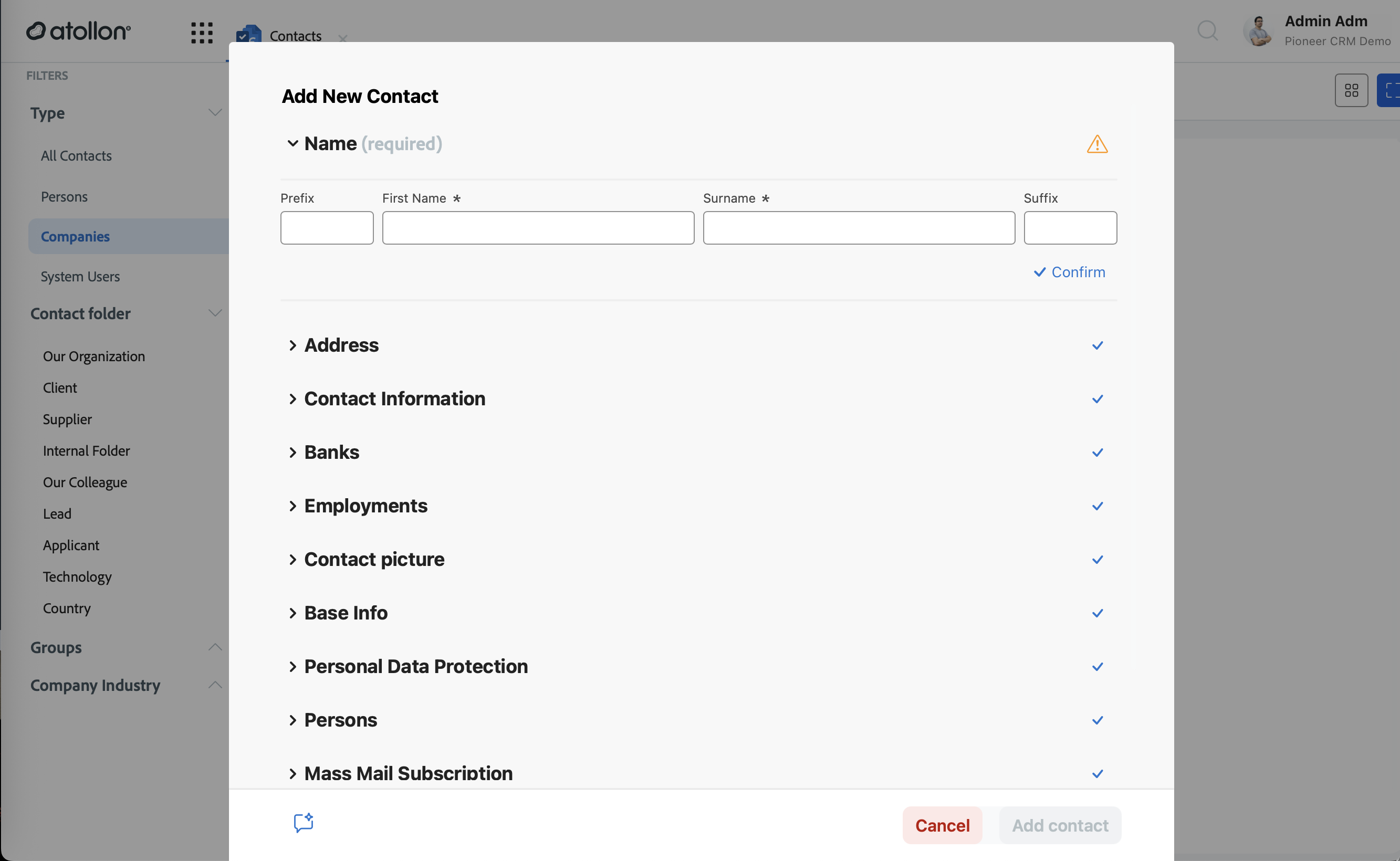
- Contacts - new
- Delete company-person relation
Context & Finder
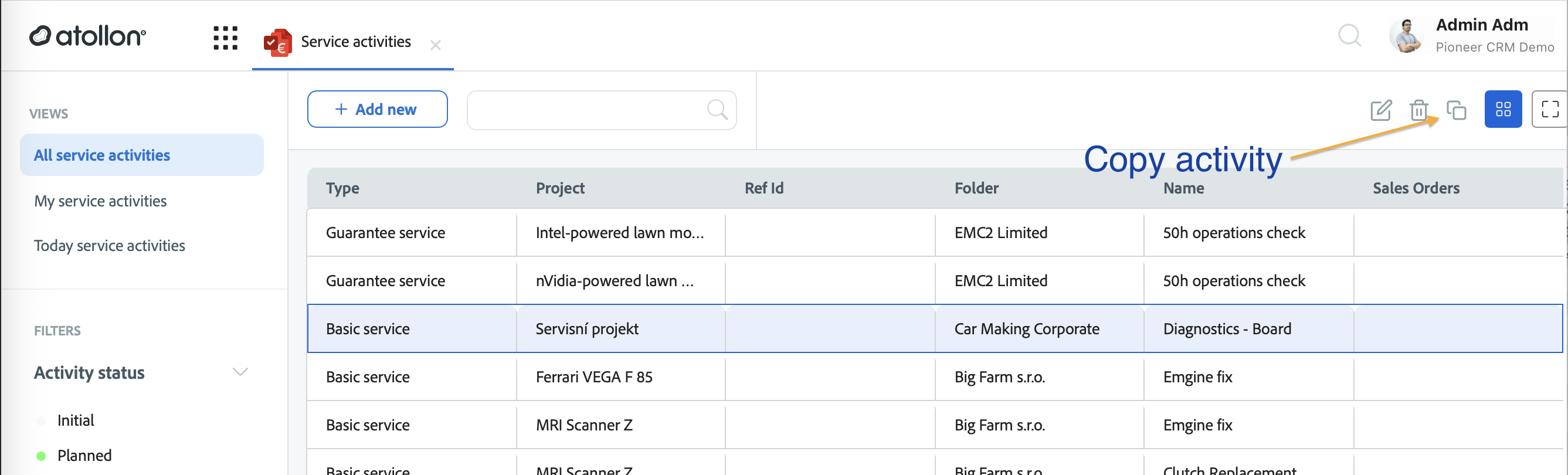
- Copy contexts, projects & activities
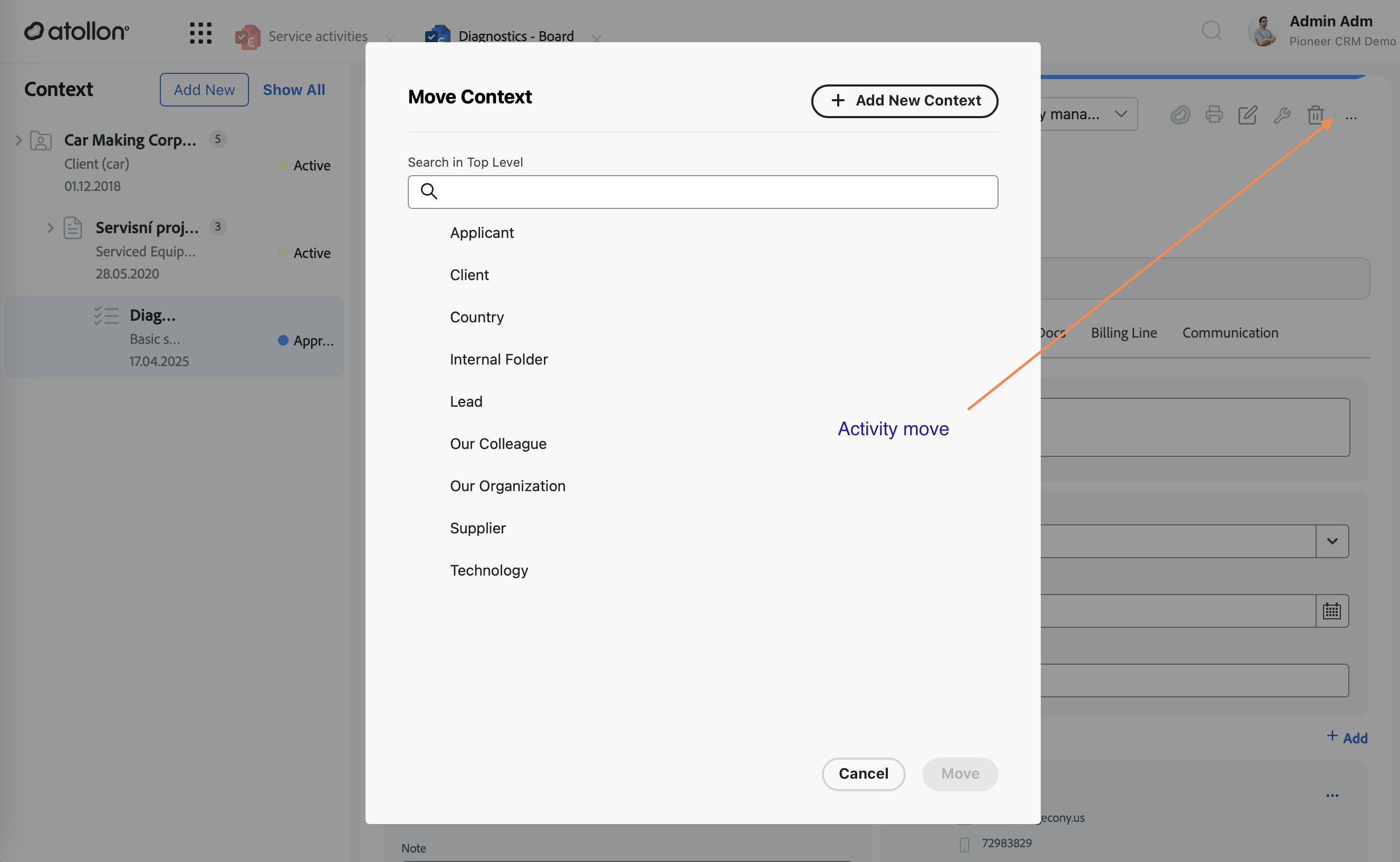
- Move contexts, projects & activities
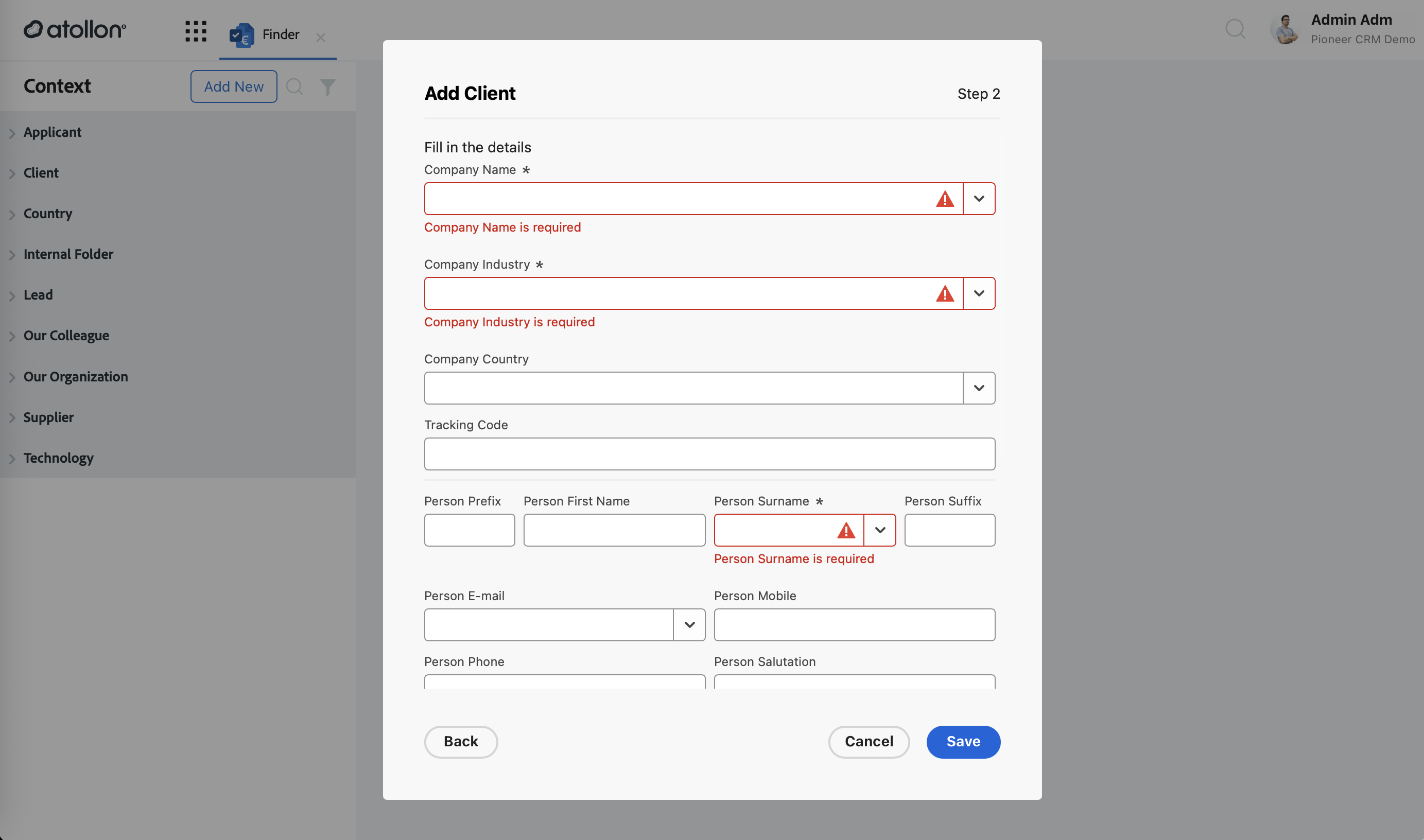
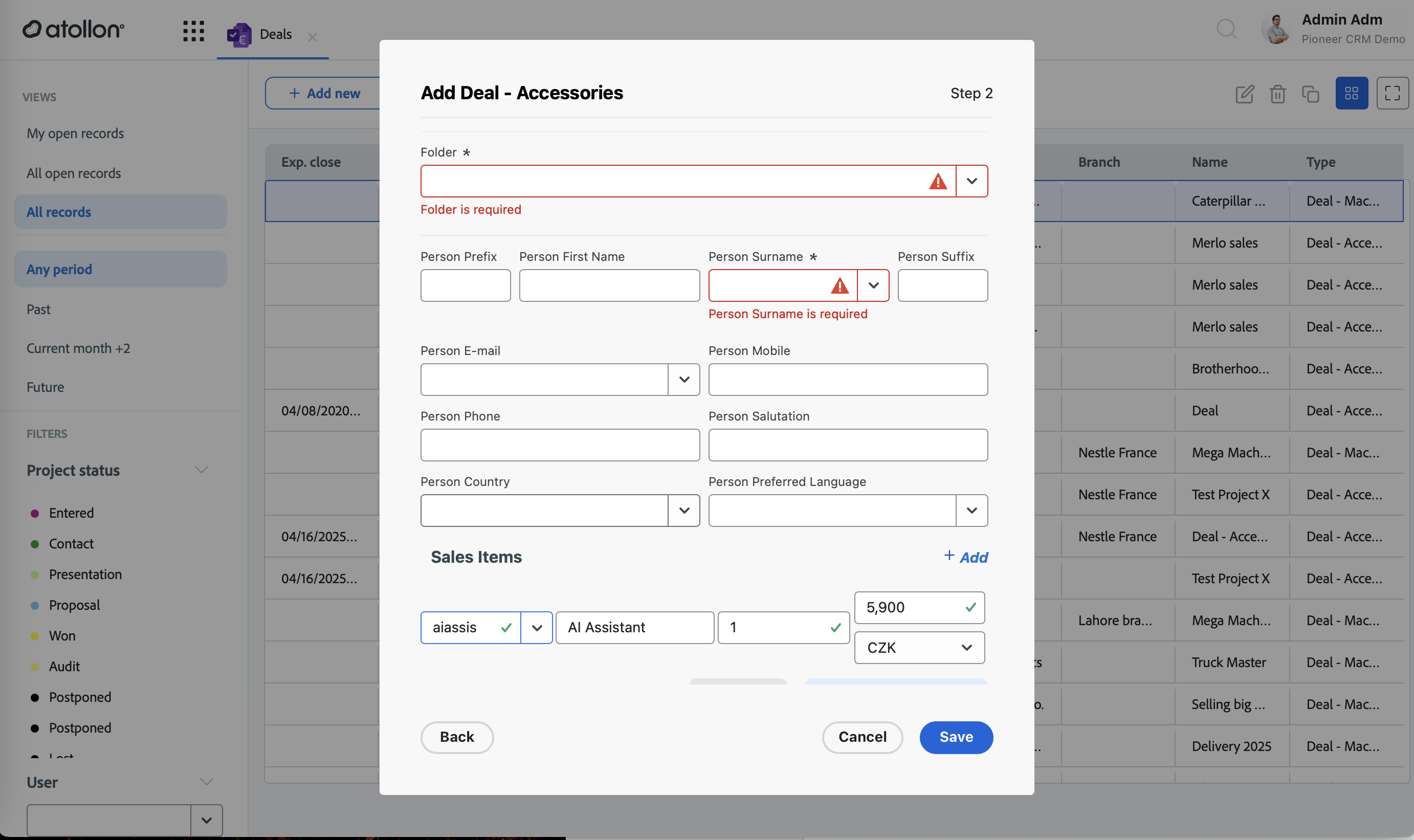
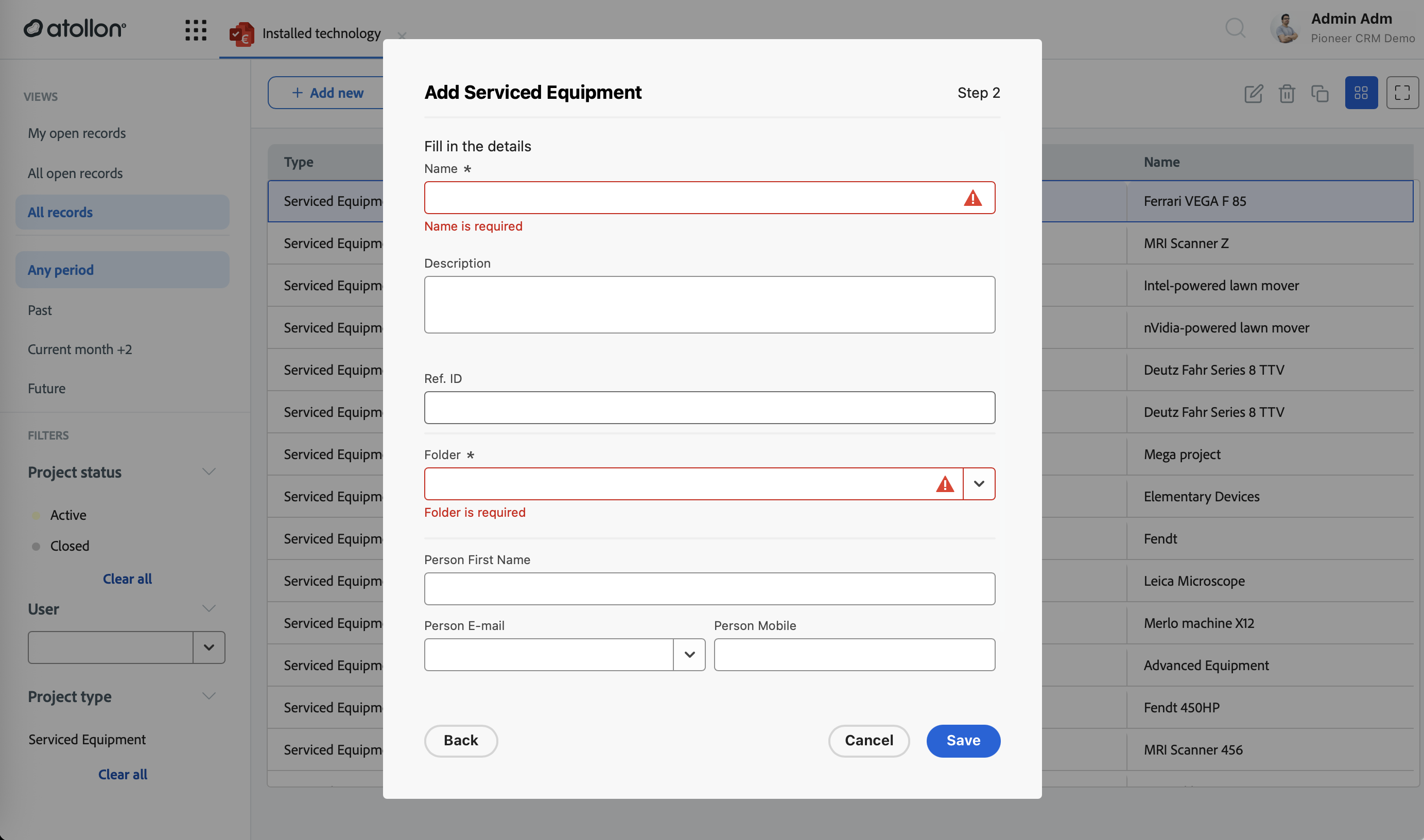
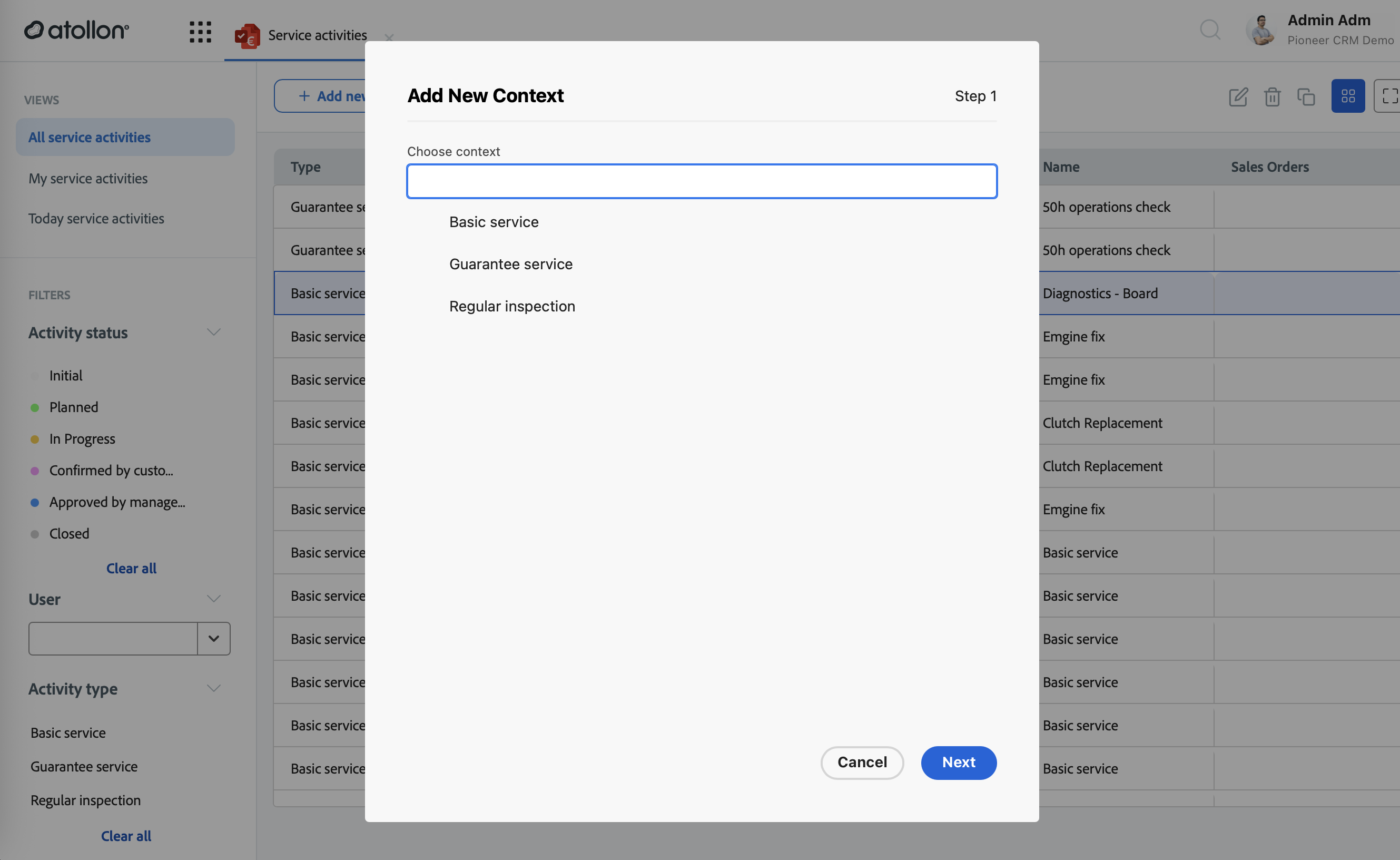
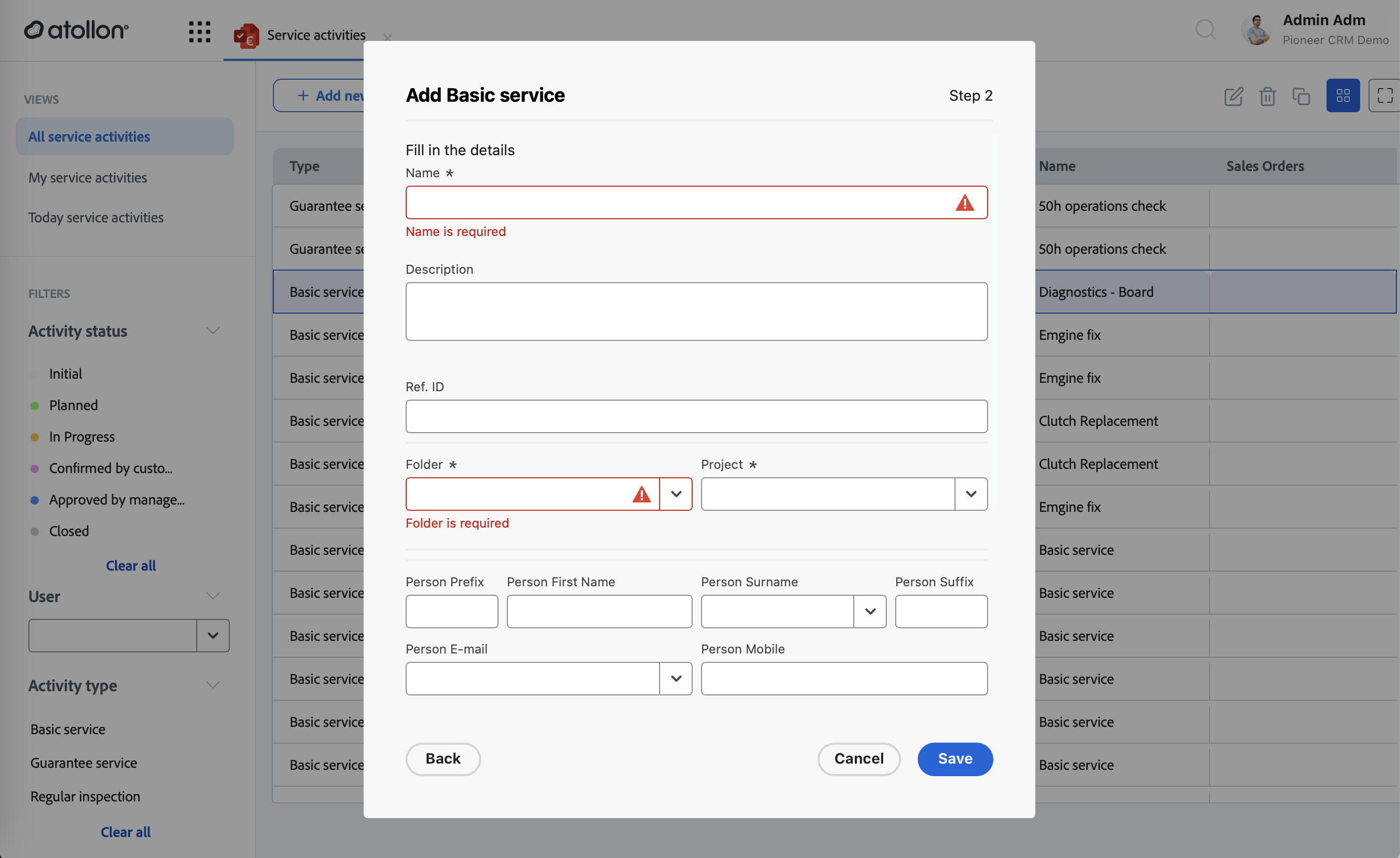
- New-Context wizard: folder/project/activity dropdowns, template pre-selection, validation, sub-folder & ref-ID handling
New contact folder
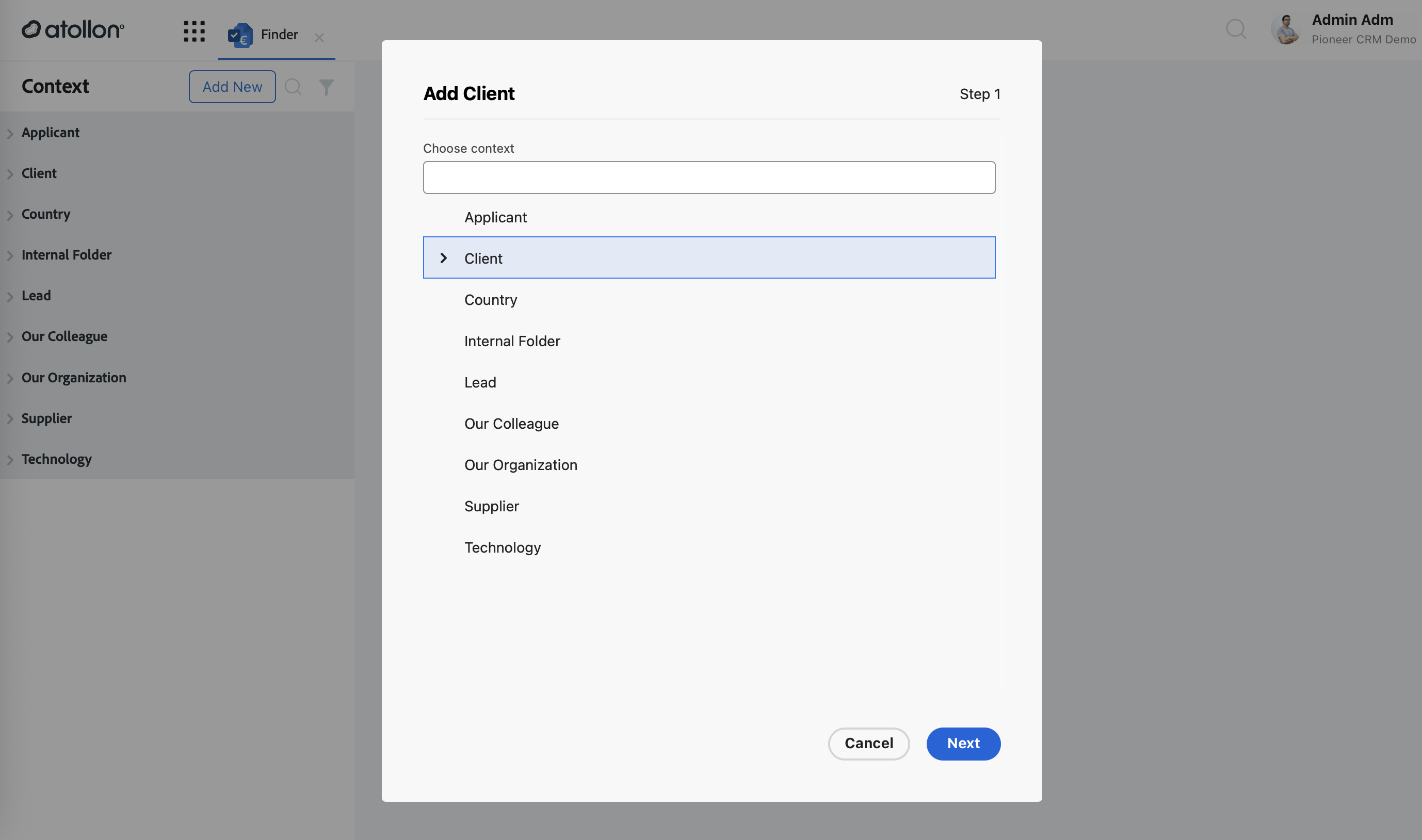
New client
New project - deal
New project - installed technology
New activity
New service activity
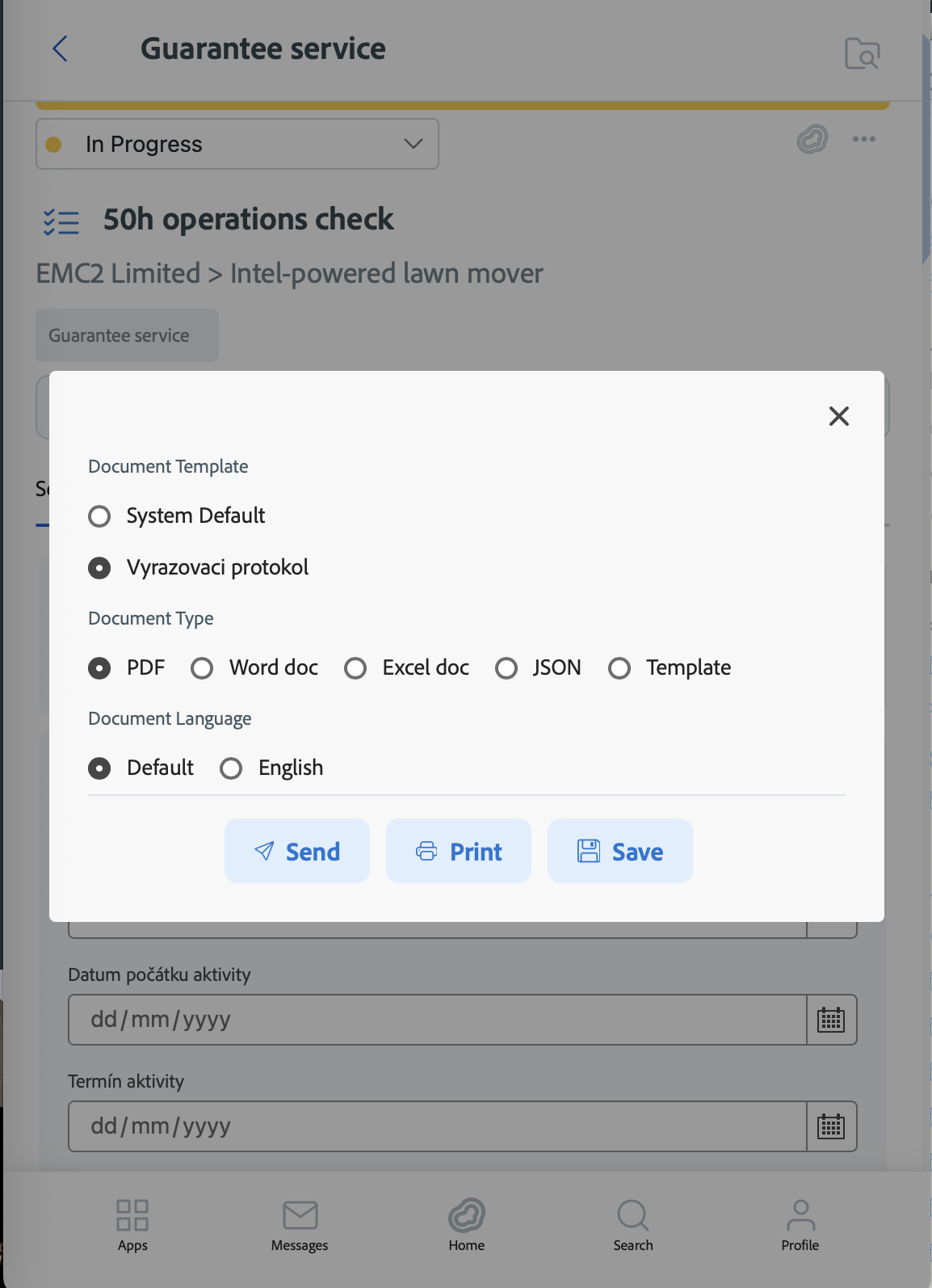
Print / PDF
- Independent PDF viewer via pdfjs-dist
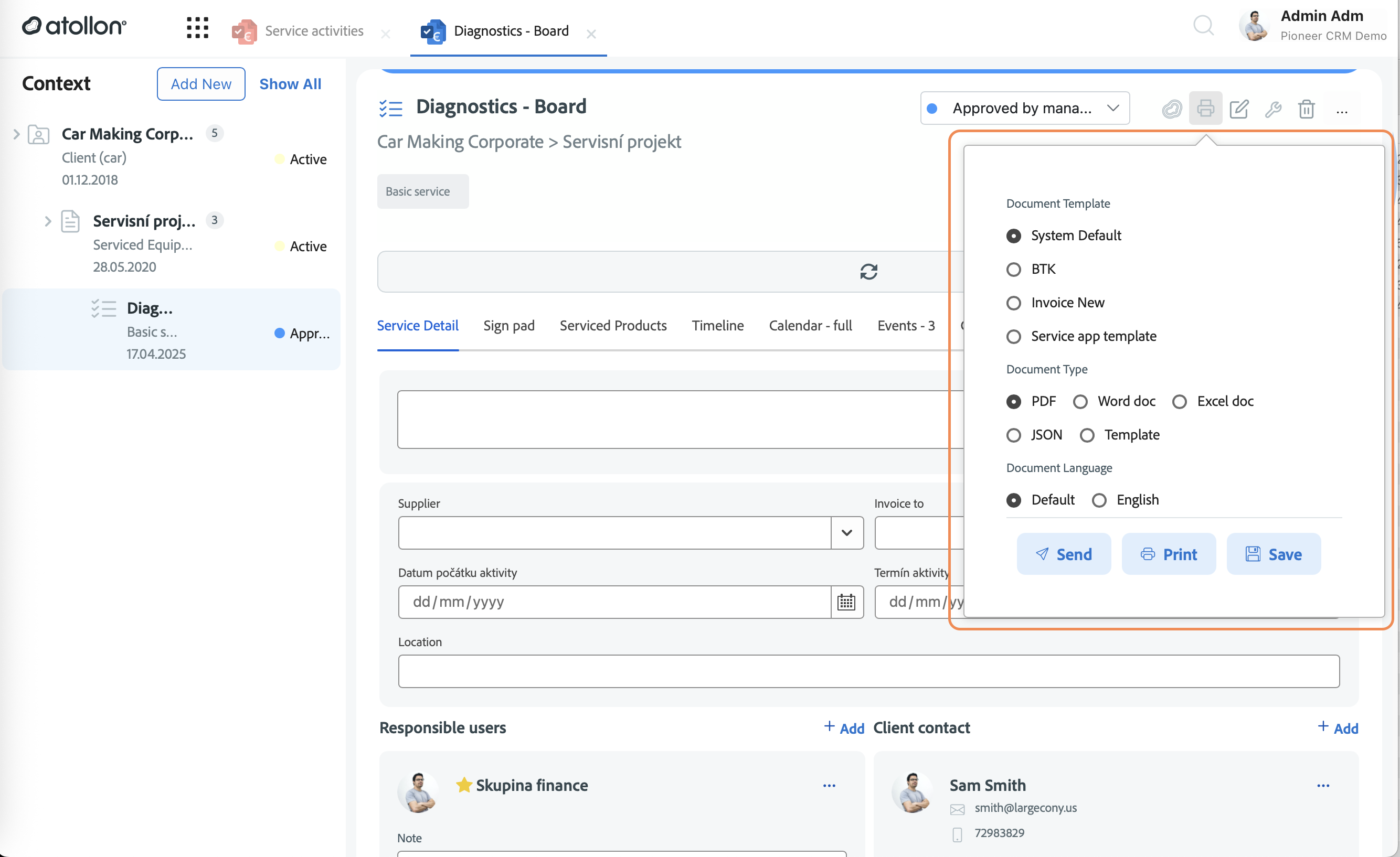
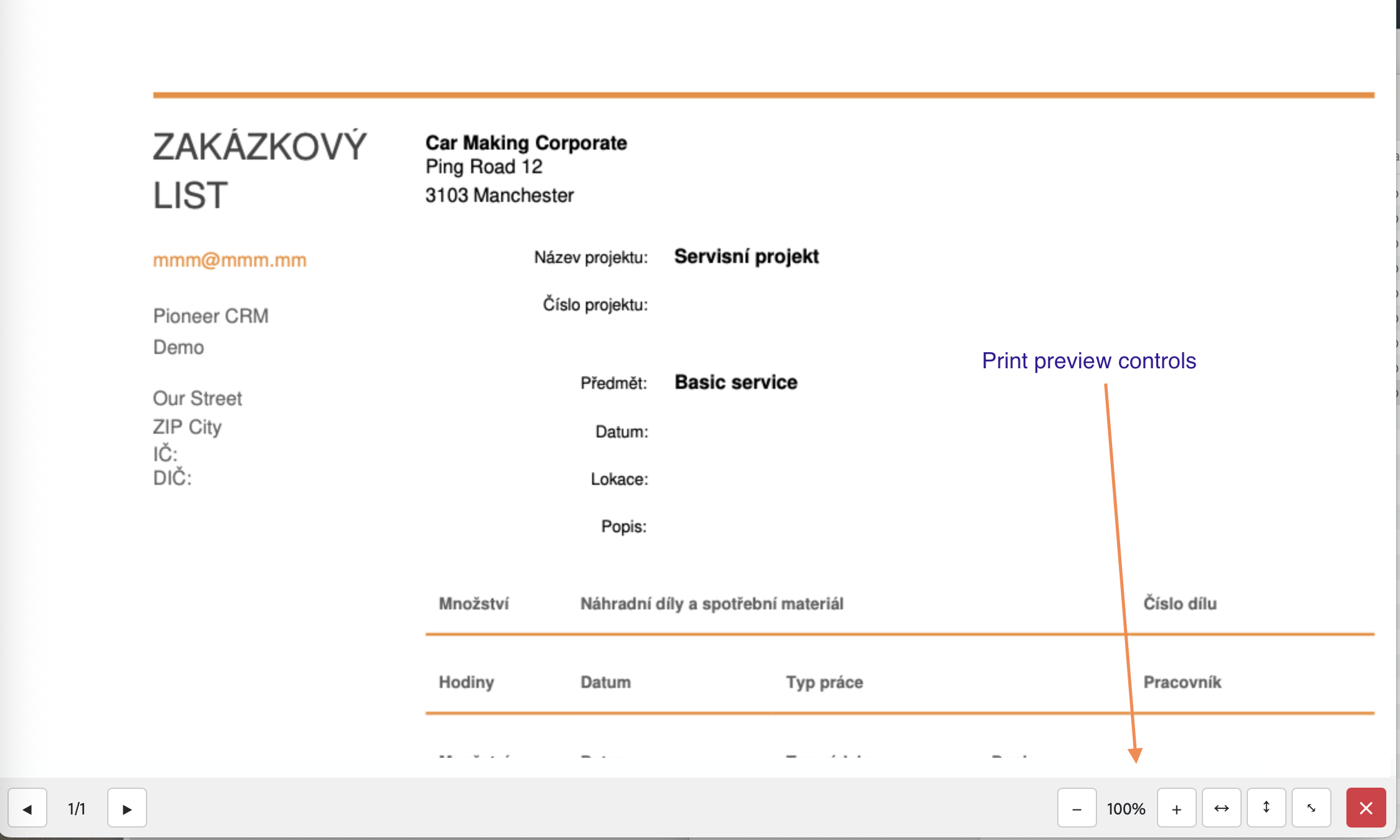
- Template designer: JSON print mode & template printing (dynamic legal forms)
Communication
- Communication overview
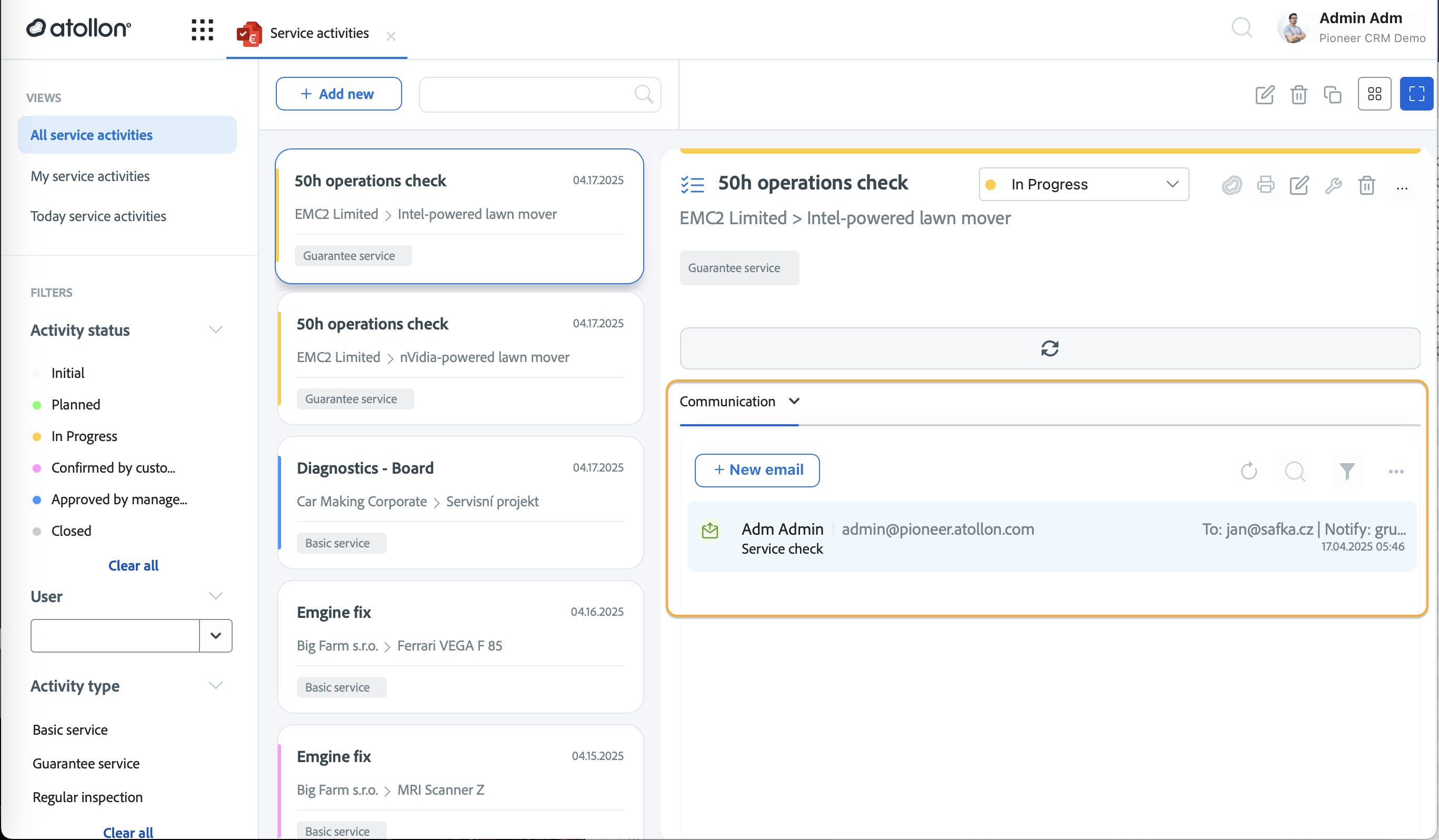
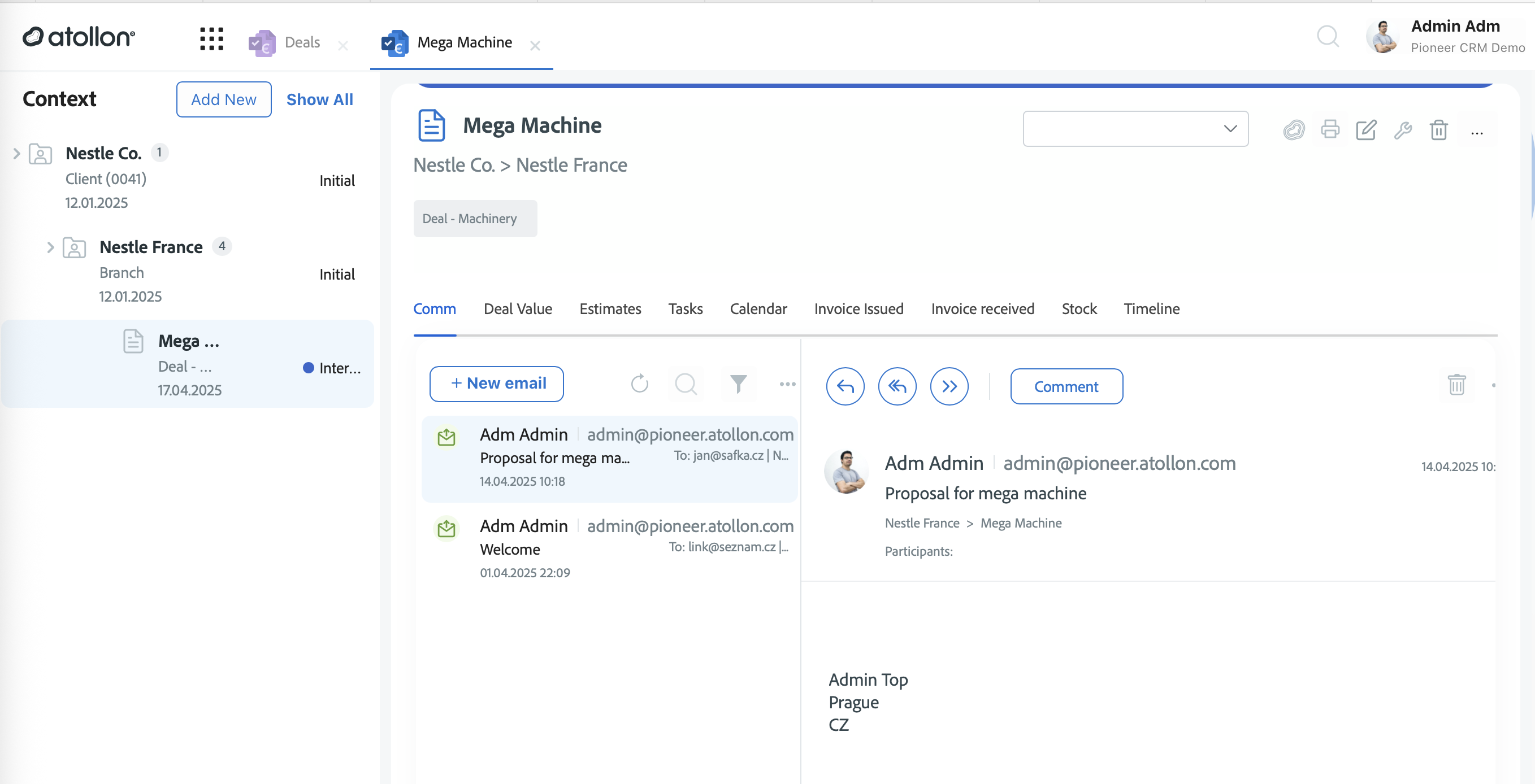
- Advanced MessageList search / filter
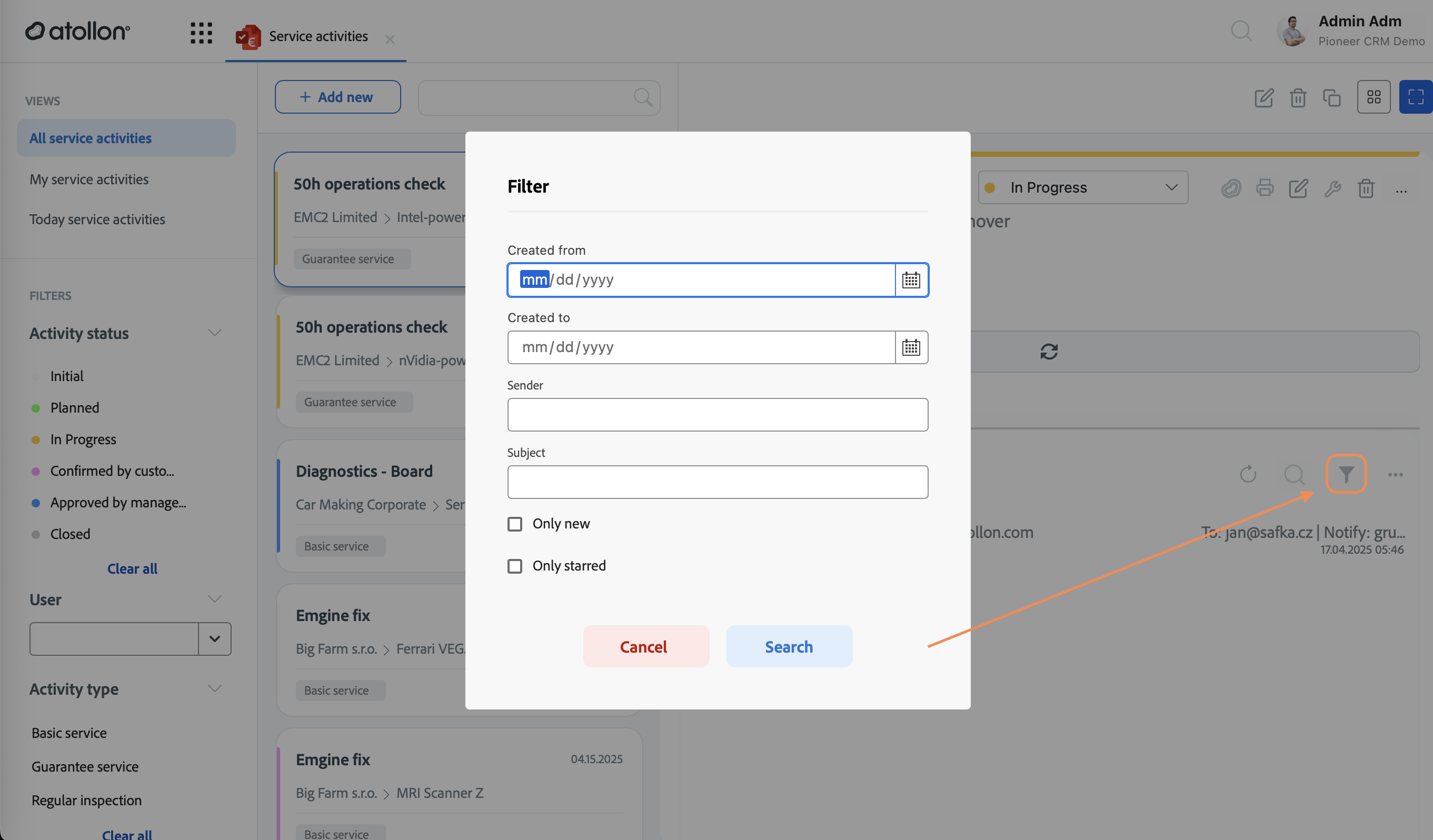
Service Activities & Projects
- Activities grid & Service Activities overview custom apps
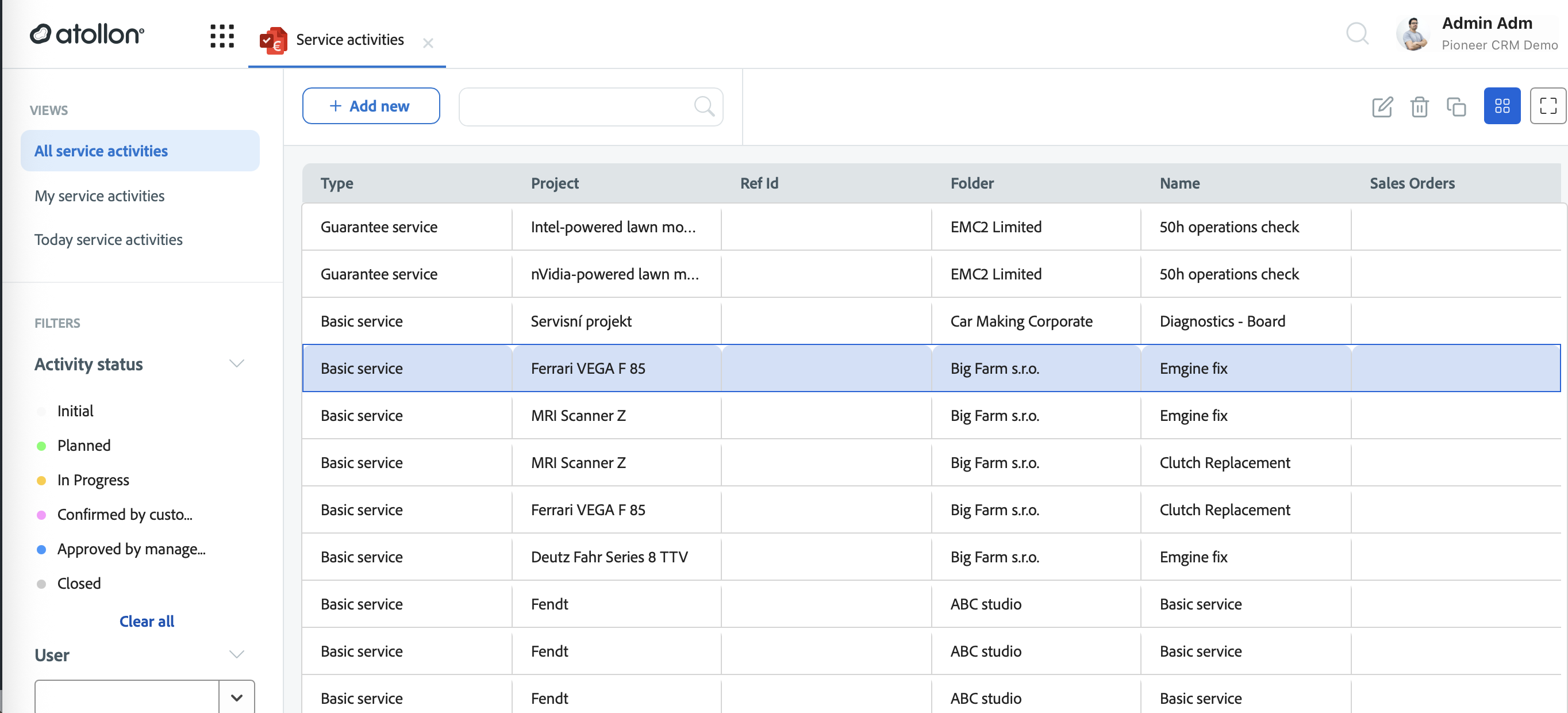

- Slave activities - for service protocols creations
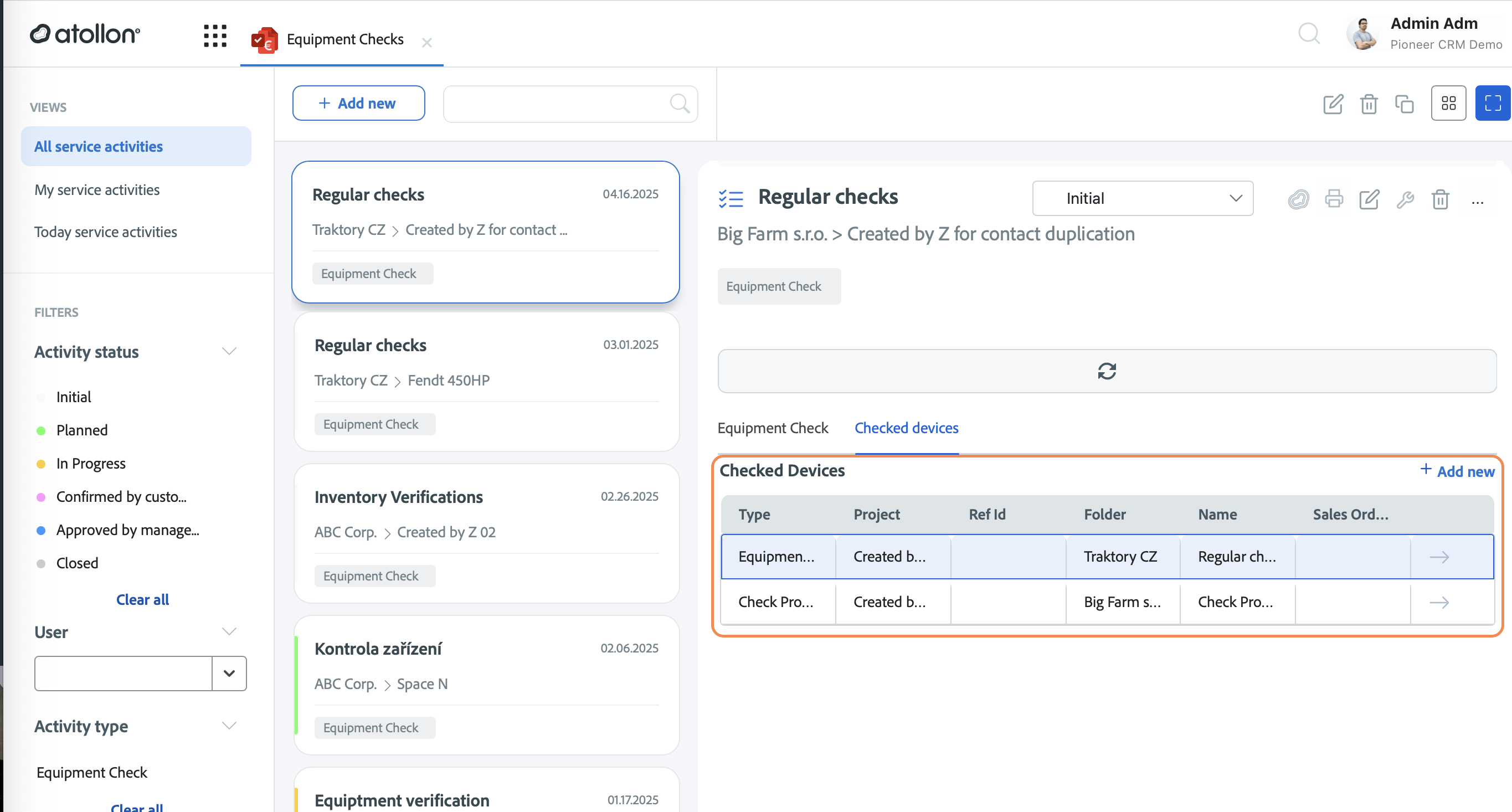
- Master project support in project creation (used in distributor deals, recruiting or installed technology relations)
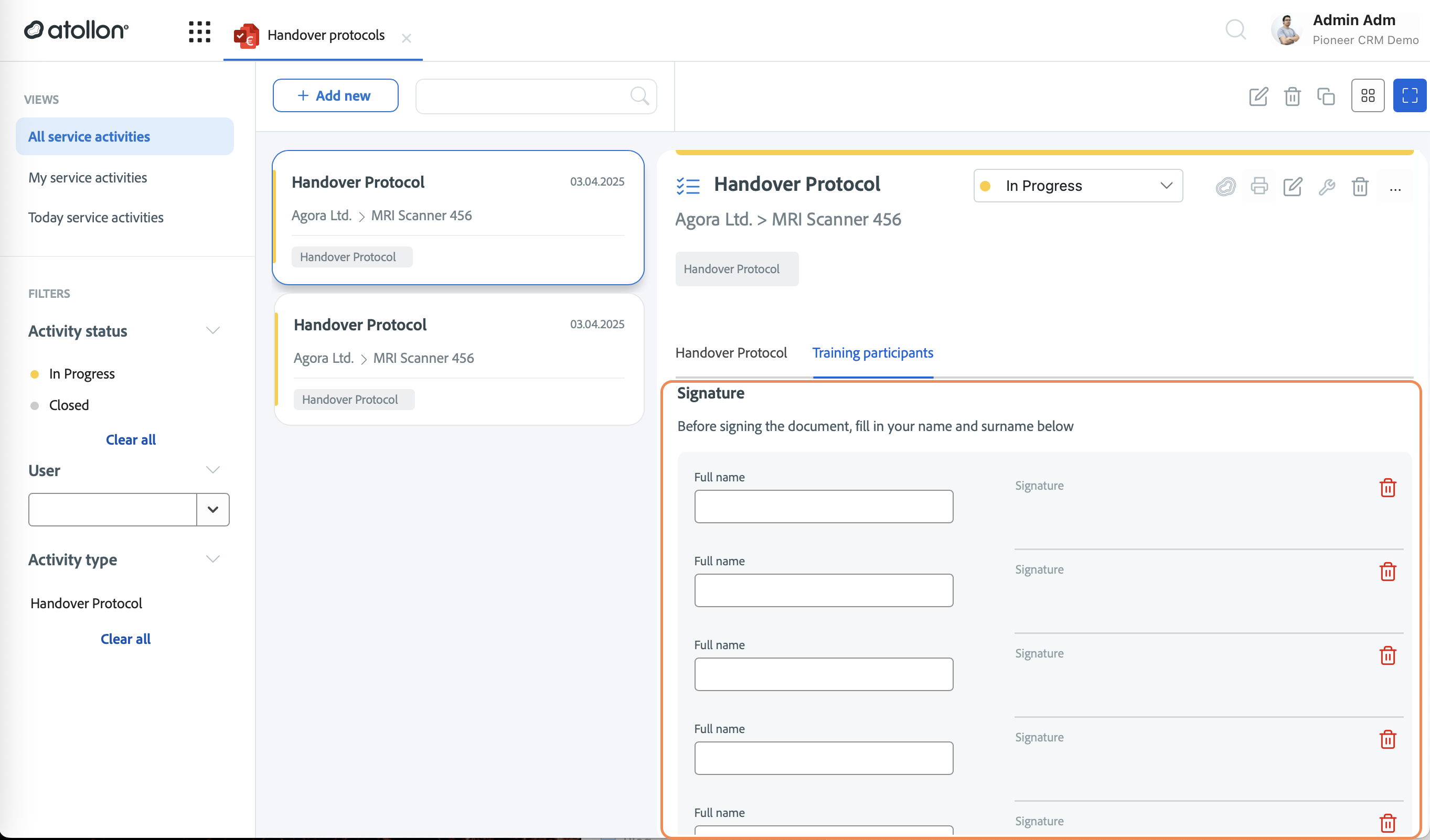
- Multiple signatures in service activity
Calendar
- Calendar overview widget with new event icon set
Enhancements
Contacts
- Filter & responsive UX polish (industry, language, first-name filter)
Print / PDF
- Print dialog hardened for PWA, Safari, Android & popup blockers; improved URL and localisation
Context & Activity
UI / Responsive
- Login, Overview dashboards & Custom-Apps responsive overhaul
Custom-App Platform
Bugs
Only basic overview of significant changes.
Authentication / PWA
- Missing username on PWA login resolved
Contacts
- Status toggle, image upload & supplier creation edge-cases fixed]
Finder & Context
- Move dialog ID errors, item deletion localisation, sub-folder selection crash fixed
Print / PDF
- Signature payload, Safari path, Android scaling, popup blocker handling, JSON signature count fixes
Service Activities
- Grid spacing, header context, project-service links, required-field validation fixed
Project & Activity
- Master/slave activity naming, project-item billing state, item save crash fixed
Custom Apps
- Crash on detail view, dynamic URL loading, responsive issues resolved
General UI
Floating message window, mobile zoom controls, message list CSS positioning fixed